
Microduck maintenance, battery and charging guide
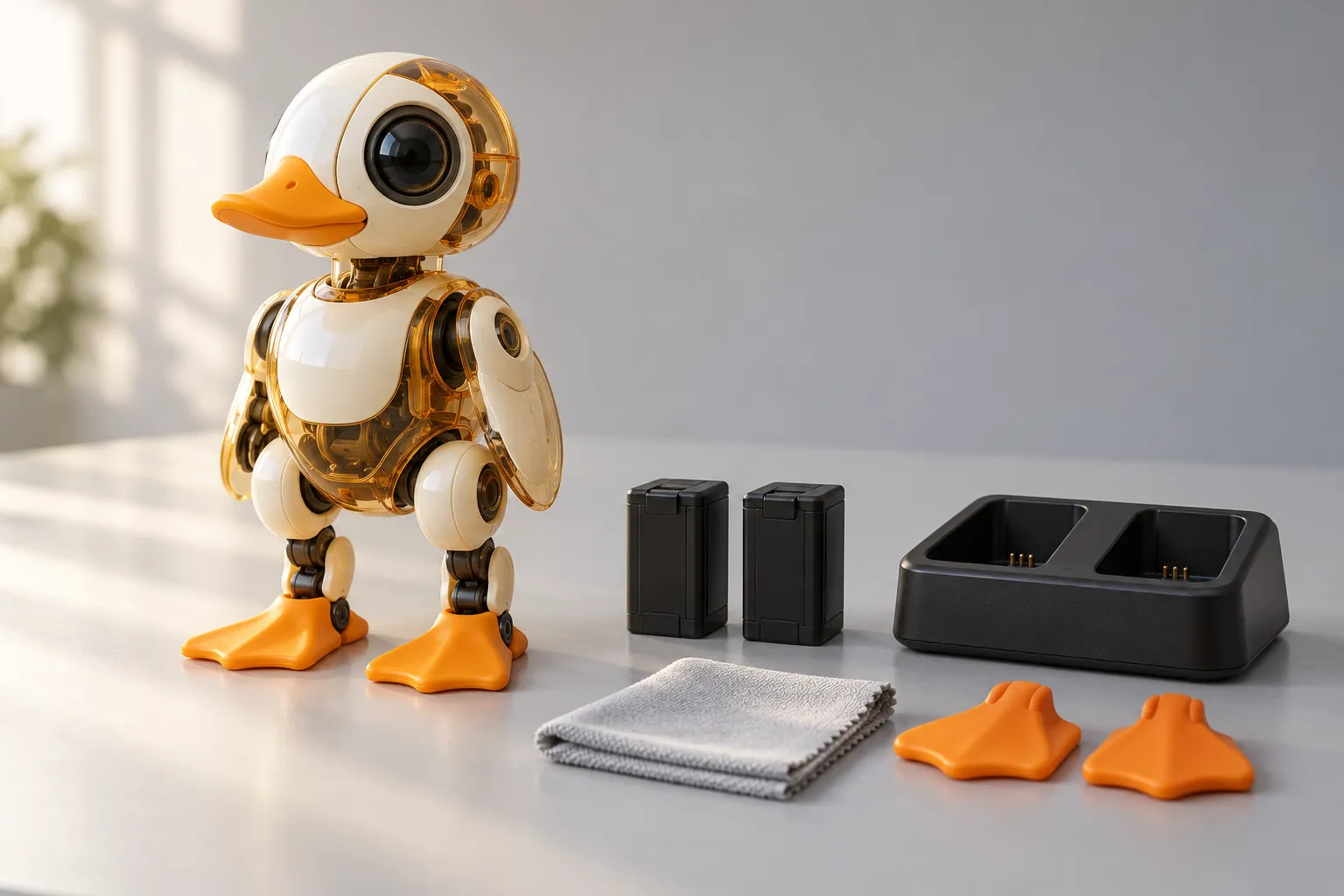
Short answer: Pollen Robotics does not publish one fixed Microduck runtime. The robot estimates charge from an NP-F550 2S pack, shows a three-step face gauge and sits down before empty. Plan sessions with the onboard gauge, keep a spare battery if you need more time, and treat smell, swelling or a hot pack as a stop signal.
This page is a practical owner's routine, not a secret service manual. It separates what the official hardware and software documentation actually say from general care advice, so you can keep the duck walking without inventing a maintenance schedule it never shipped with.
The battery facts that matter
| Item | What is published | What it means in practice |
|---|---|---|
| Pack | NP-F550, 2S lithium battery | The robot uses a swappable hobby-style pack, not a sealed phone battery |
| Voltage window | 6.6 V empty to 8.2 V full under load | The percentage is a voltage estimate and moves as the load changes |
| Face gauge | Three green steps above 70%, two above 40%, one above 15%; red blinking at 5% or below | A quick look at the face is enough for normal sessions |
| Shutdown | At 0%, robotd sits the robot down and cuts power | The displayed percentage behaves like a countdown, not a laboratory fuel gauge |
| Charging in the box | USB-C cable | The standard kit includes the cable needed to charge and connect |
| Longer sessions | Charger pack: dual charger plus two spare batteries | Swapping packs is faster than waiting for a recharge |
The source for the voltage window and gauge behaviour is Pollen Robotics' published robotd design and architecture notes. There is no separate fuel-gauge chip: the servos' own supply voltage is measured, so the reading sags during a hard walk and recovers when the robot rests.
How to charge Microduck without overthinking it
- Put the robot on a hard, non-flammable surface. A desk or stone countertop is better than a bed, cushion or pile of paper.
- Connect the supplied USB-C cable. Use the cable and charger arrangement that came with the robot or the official Charger pack.
- Keep an eye on the first charge. Stay nearby until you know how the pack and cable behave together.
- Use the dual charger for spare packs. The Charger pack exists so one battery can charge while the duck walks on another.
- Do not force a connector or continue after a damaged cable. Stop and contact support rather than bending the port or taping a hot cable.
The robot is complete with one battery. The specs page lists the box contents, and the accessories comparison explains the difference between the Charger and Dev packs.
How long does the Microduck battery last?
There is no honest single number to publish because the answer depends on the behaviour. Walking and turning continuously pull more current than standing; kicking, recovering from a fall and driving on rollers add their own load. The voltage-based gauge will also dip during a hard move before recovering.
Use this rule instead: plan around the gauge, not around a claimed minute count. If a session matters, start with a full pack and keep a charged spare nearby. If the robot reaches the low-battery warning, let it sit down and swap or charge rather than repeatedly restarting it for “one more go”.
A one-minute pre-flight check
Do this before a demo, a classroom session or a long evening:
- Feet: look for grit, loose pads or a worn edge that changes how the duck meets the floor.
- Joints: move nothing by force. Look for a cable that has slipped into a joint's travel or a shell that has started to separate.
- Screws: check the visible fasteners you can reach without opening the robot; do not overtighten them.
- Battery: confirm the pack is seated, the connector is clean and the gauge is not already below the level you need.
- Surface: choose a firm, level, dry surface with room to fall and no drop at the edge.
If something looks mechanically wrong, stop before powering the motors. The troubleshooting guide starts with a symptom table, and the getting started guide covers the first-session setup.
Cleaning Microduck safely
Power the robot off and let the motors cool before cleaning. Use a dry, soft microfiber cloth for dust and fingerprints. A slightly damp cloth is acceptable only on the outer shell if you keep water away from connectors, vents and joints, then dry immediately.
Avoid these:
- water sprayed or poured onto the robot;
- alcohol, solvents, abrasive cleaners or furniture polish;
- compressed air forced into bearings or connectors;
- pulling a leg or head through its range to “loosen” dirt;
- charging a pack that is visibly swollen, wet or damaged.
For the feet, remove surface grit and check that the pad still sits flat. For the shell, clean around seams rather than prying them open. The robot is a small machine with exposed joints, not a waterproof toy.
Storage between sessions
The safe routine is simple: cool, dry, clean and out of direct sun. General lithium-battery care also argues against storing a pack at permanent full charge or at absolute empty for months. That is general guidance, not an extra Microduck specification or a promise about calendar life.
For a long break:
- Let the robot and pack return to room temperature.
- Remove dust and check for damage.
- Store the pack at a moderate charge rather than 100% or 0%.
- Keep it away from heat, moisture and metal objects that could bridge the contacts.
- Check the pack before the next session; do not use one that has swollen, leaked or smells unusual.
Spare parts, wear and repair
The Dev pack is the intended spares kit for owners who plan to open and repair the robot: three spare motors, five motor cables, two batteries, a dual charger, NFC tags, a screwdriver and a screw pack. The Accessory pack is play gear, not a repair kit.
Opening the robot is allowed by the open-source spirit of the project, but it is still your modification. Work slowly, photograph the cable routing before disconnecting anything, and keep the original parts. A failed experiment is easier to diagnose when you can put the robot back to its previous state.
The official documentation and GitHub repository are the source of truth for service procedures. If a step is not documented there, do not treat a social post or a third-party replica as an approved procedure.
When to contact support
Email support@microduck.homes when the robot will not power on, a joint repeatedly trips, a battery or connector is damaged, the robot behaves differently after an update, or you are unsure whether a symptom is safe to test. The site does not publish a separate warranty schedule, so support will handle the case against your order rather than this page promising coverage.
Include:
- your order number and shipping country;
- the robot colourway and version output;
- a ten-second video showing the symptom from a safe angle;
- the output of
robotctl healthandrobotctl version; - what happened immediately before the problem, including any policy or update change.
Do not send a robot back before support gives you the return instructions. If a battery is swollen, leaking or hot, stop using it and say so in the first line of the email.
Microduck maintenance FAQ
How long does a Microduck battery last? Pollen Robotics does not publish one fixed runtime. Walking, kicking and repeated recovery use more energy than standing, so the practical plan is to watch the onboard gauge and keep a spare pack if you want longer sessions.
Can I replace the Microduck battery? Yes. The robot ships with one rechargeable NP-F550 2S pack, and the Charger and Dev packs add spare batteries. The pack is designed to be swapped rather than waiting for a recharge.
Can I use a third-party charger? Use the USB-C cable supplied in the box or the dual charger included with the Charger and Dev packs. Pollen Robotics does not publish a list of approved third-party chargers, so a generic charger is not a supported substitute.
How often should I clean Microduck? Clean it when dust, fingerprints or floor debris become visible, and inspect the feet, screws and cable routing after heavy play. Power it off first and use a dry, soft cloth rather than water or solvents.
Who should I contact if my Microduck is damaged? Email support@microduck.homes with your order number, a ten-second video of the problem, the robot version and the output of robotctl health. The site does not publish a separate warranty schedule, so support handles the next step against the order.
Where to go next
- Microduck troubleshooting - work from a symptom to the next check
- Microduck accessories - Charger, Accessory and Dev packs compared
- Microduck specs - battery, sensors and box contents
- Microduck FAQ - the short answers to common buyer questions
- Microduck colourways - choosing a shell without changing the hardware
- Pre-order Microduck - $399 before taxes and shipping