
Open Duck Mini v2 build cost: BOM and real budget
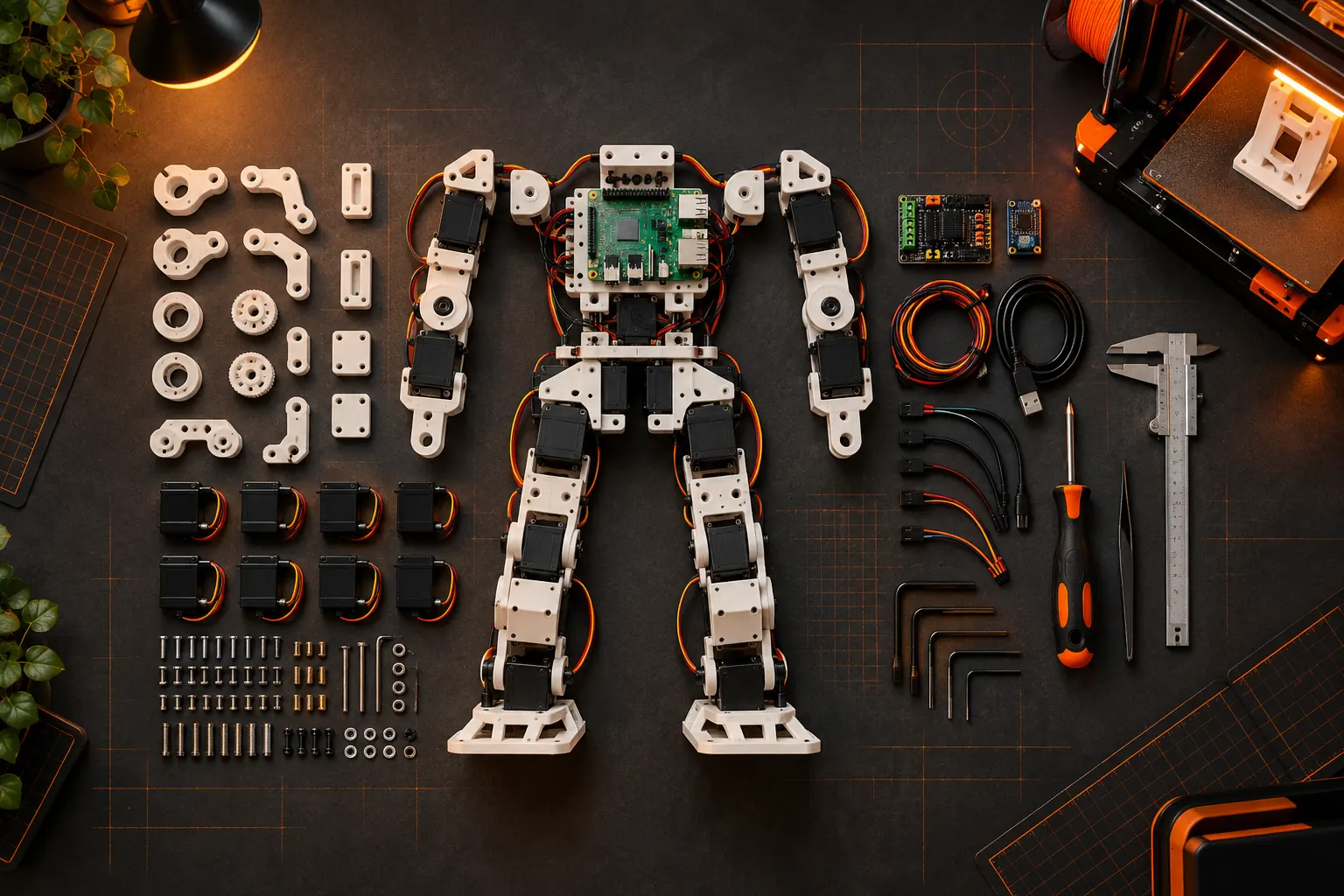
Short answer: The Open Duck Mini v2 repository says the full BOM should cost under $400, but that is a parts target rather than a guaranteed delivered-project price. Budget separately for printing or a print service, filament, tools, fasteners and cables missing from your order, failed prints, spare components, shipping, tax and build time. The official BOM and CAD were checked on 23 October 2026.
This page is written by the team behind Microduck, an assembled $399 alternative. That conflict is exactly why this guide does not invent a dramatic DIY total. It shows what the primary source specifies, what the source does not include, and when building still makes more sense than buying.
How much does Open Duck Mini v2 cost to build?
The official Open Duck Mini v2 README gives a clear target: the full BOM cost should be under $400. The BOM is the parts list. It is not a quote for every completed robot because builders arrive with different printers, tools, spare-part drawers and skill levels.
Use this budgeting formula:
| Budget line | Included in the official BOM target? | What to check |
|---|---|---|
| Motors, controllers and electronic parts | Yes, if listed in the current BOM | Match the exact revision and quantity |
| 3D-printed structural parts | Usually not when you print them yourself | Filament, electricity, failed prints and printer wear |
| Print service | No | Quotes vary by material, quality and country |
| Screwdrivers, clamps and general tools | No, unless listed | Buy only what you do not already own |
| Spare motors, cables and fasteners | No | Budget for at least one mistake or wear item |
| Shipping, import tax and duties | No | Depends on supplier and destination |
| Your time and calibration work | No | The most variable cost of the project |
The Open Duck Mini v2 README links the current BOM spreadsheet and states the under-$400 target. Always use the linked revision because a saved copy or an older build log can specify different parts.
Which parts dominate the Open Duck Mini BOM?
The actuator set and electronics dominate the cash budget; the printed body dominates the time budget. A small biped needs a complete set of servos, control electronics, a Raspberry Pi Zero 2 W-class runtime computer, power hardware, cables, bearings and fasteners in addition to the printed shell.
Do not reduce the budget to a motor count. The work comes from matching the exact revision, sourcing the correct gears and connectors, printing tolerances that allow joints to move without play, and finding the missing screw or cable after every assembly step.
The project publishes the design in CAD and supplies printed-part files through the same repository. That is the value: you can inspect and repair the machine. It also means nobody is shipping you a pre-calibrated unit with every part already accounted for.
What does the BOM exclude?
The BOM excludes any cost that cannot be attached directly to a part number. The largest omissions are printer ownership or print-service quotes, the first failed print, shipping and taxes, spare parts, tools and the hours you spend building, flashing and debugging.
That does not make the BOM misleading. It makes it a BOM. The mistake is comparing a parts spreadsheet with a retailer's delivered price and calling the difference pure savings.
For a fair estimate, build three numbers:
- Parts total: use the current official BOM with current supplier prices.
- Build overhead: printer or service, filament, tools, shipping and tax.
- Contingency: spare parts and at least one reprinted component.
Write each number down before ordering. If the result still beats the value you place on your time, the project is a good fit.
Is Open Duck Mini v2 cheaper than buying Microduck?
The parts can be cheaper, but the completed projects are close enough that cost alone should not decide. Open Duck's official target is below $400 for the BOM. Microduck is $399 before taxes and shipping for an assembled, calibrated robot with battery, USB-C cable, game controller and seven installed moves.
One project buys parts and knowledge. The other buys time, integration and support. Use the comparison only after adding the items outside the Open Duck spreadsheet.
| Decision | Open Duck Mini v2 | Microduck |
|---|---|---|
| Start with | CAD, BOM and printed parts | A calibrated robot |
| Main work | Print, source, assemble, wire, calibrate and train | Drive, code, simulate and retrain policies |
| Main risk | Missing parts, tolerances and integration | Pre-order timing and product availability |
| Openness | Design, electronics, runtime and training project | Apache-2.0 robot software; hardware designs not complete |
| Support | Community-driven | Maker support and spare-part packs |
| Reason to choose | Building is the experience | Walking and retraining are the experience |
The broader Microduck vs Open Duck Mini v2 comparison covers the ownership trade-off; this page focuses on the budget.
How long does an Open Duck Mini v2 build take?
There is no honest universal build time because print quality, access to parts and builder experience change the project more than the assembly instructions do. Plan it as a project with multiple checkpoints, not an evening kit.
The sequence itself is predictable: print and inspect the parts, source the exact BOM, configure and test motion hardware, assemble the body, flash the runtime, follow the calibration guide, then move through simulation and policy deployment. Each checkpoint can reveal another missing screw, cable or tolerance issue.
An experienced builder with a tuned printer and a complete parts kit will move faster. A first-time maker should preserve extra weekends for print failures and reordering. That extra time is part of the project, but it belongs in a buy-or-build comparison.
When is building Open Duck Mini v2 worth it?
Building is worth it when you want to understand the complete machine and are prepared to be its integrator. The project gives you the mechanical design, control runtime and a community working on the same sim-to-real problem.
Choose differently when the goal is to spend the first weekend driving and programming. A manufactured robot removes the body-build risk and lets the learning begin at the SDK and policy layer.
If the build is the point, the cost spreadsheet is a starting map, not a finish line. If saving money is the only goal, compare the all-in project honestly and expect the margin to shrink.
Open Duck Mini v2 cost FAQ
How much does Open Duck Mini v2 cost? The official v2 repository targets a full BOM below $400. The final cost depends on supplier prices, printing, tools, spares, shipping and tax.
Does the BOM include 3D printing? It can include the model and list printed parts, but it does not include your printer time, filament, failed prints or a commercial print-service quote.
Is Open Duck Mini v2 cheaper than Microduck? It can be cheaper on parts, not reliably cheaper as a complete project. Microduck is $399 assembled before tax and shipping; add the excluded build costs before comparing.
Can I use a print service? Yes. Get a quote for the exact repository revision and material before assuming it is cheaper than owning or borrowing a printer.
Where should I buy the parts? Start with the official BOM linked by the Open Duck Mini v2 repository. Use its exact revision and verify current stock and shipping.
Key takeaways
- Official target: Open Duck Mini v2 BOM below $400.
- That target excludes printing, tools, spares, shipping, tax and labour.
- Compare the current BOM revision, not an old build-log copy.
- Microduck is $399 assembled before taxes and shipping.
- Build Open Duck when the project is the goal, not just when the spreadsheet looks cheaper.
Where to go next
- Open Duck Mini v2 repository - CAD, BOM, runtime and training resources
- Microduck vs Open Duck Mini v2 - buy or build in detail
- Best biped robots - the category comparison
- Microduck accessories - spares and play packs
- Pre-order Microduck - the assembled option