
Best Robot Kits for Adults in 2026: 6 Projects Compared
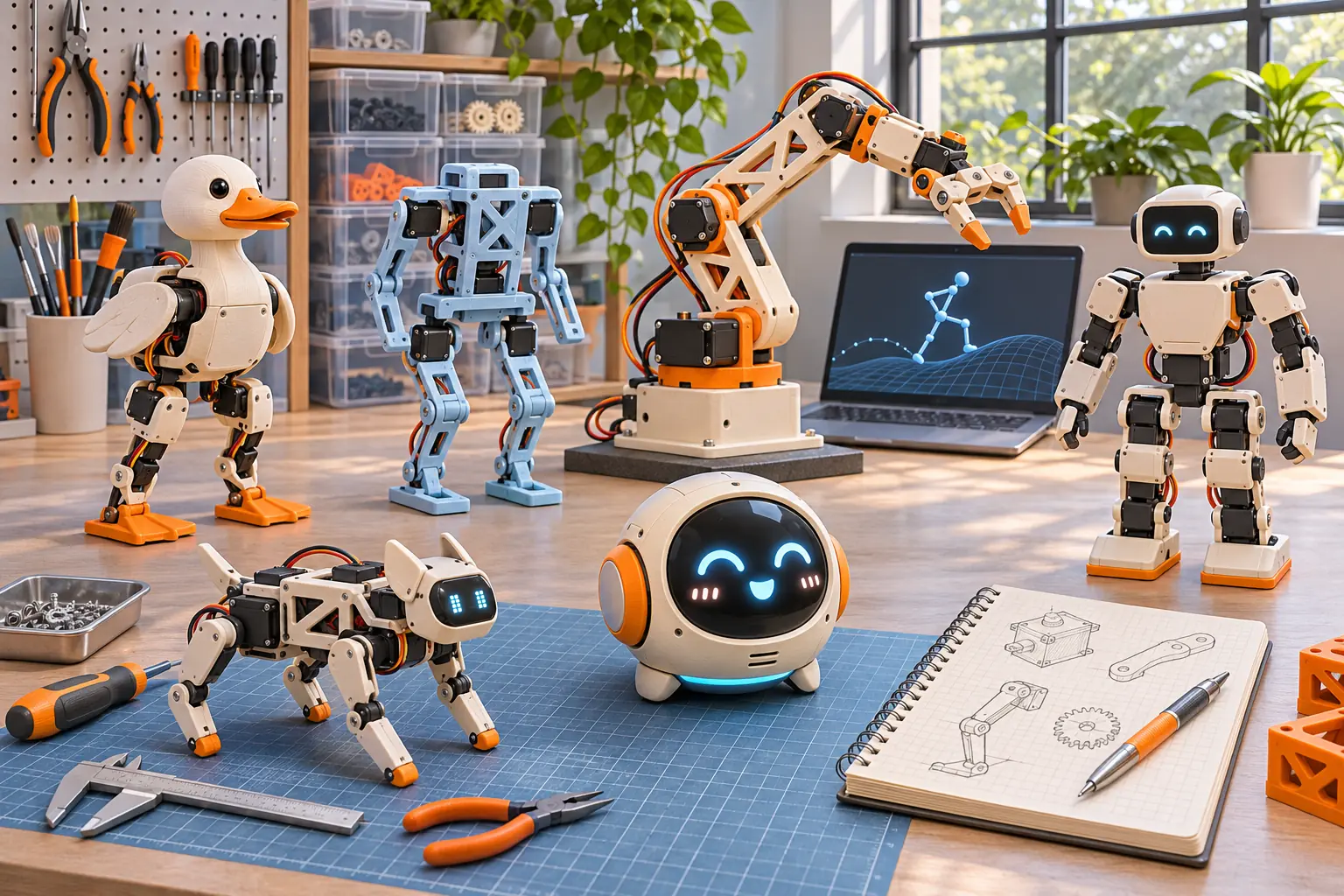
The best robot kit for an adult is the one that matches the project they want to finish, not the one with the longest parts list. For an assembled walking robot you can train with reinforcement learning, choose Microduck. For a complete print, source and build project, choose Open Duck Mini v2. For manipulation, choose LeRobot SO-101. Petoi Bittle X is the gentler first robotics build, Reachy Mini is the strongest ready-made interaction platform and Hiwonder TonyPi is the conventional humanoid kit.
This is a documentation-based buying guide, not a controlled hands-on benchmark. We make Microduck, so we disclose that conflict directly and recommend the other products where their job fits better. Published prices were checked between 1 and 7 November 2026; taxes, shipping, tools, failed prints and optional upgrades are separate unless stated.
Which robot kit is best for adults?
Start with the outcome. A satisfying adult robotics project can mean a finished walking robot, an open hardware build, a manipulation platform, a beginner-friendly quadruped, an interactive desktop companion or a small humanoid.
- Best for an assembled AI locomotion platform: Microduck, $399 before taxes and shipping.
- Best for a complete open build: Open Duck Mini v2, with an official BOM target below $400.
- Best for robot-arm and imitation-learning projects: LeRobot SO-101, from $121.94 in parts for one follower arm.
- Best for a gentler first programmable robot: Petoi Bittle X, from $319 in the current Petoi catalog.
- Best for desktop interaction and ready-made apps: Reachy Mini, $399 Lite or $499 Wireless.
- Best for a conventional humanoid kit: Hiwonder TonyPi, last confirmed at $599.99–$869.99 on 1 November 2026.
None of those choices is universal. A kit that arrives half assembled, runs one demo and then sits on a shelf is not a better adult project than an assembled robot with a deep software path. The right question is whether you want to spend your time building hardware, writing software, collecting robot data or training policies.
Robot kits for adults at a glance
| Robot | Published price signal | What arrives | Build work | Software and AI path | Best for |
|---|---|---|---|---|---|
| Microduck | $399 | Assembled 25 cm biped, battery, controller and seven trained moves | None for the core robot | Python SDK, browser simulator, reinforcement-learning training and ONNX deployment | Learning locomotion and sim-to-real on known hardware |
| Open Duck Mini v2 | Official BOM target below $400 | CAD, BOM, print and assembly resources; you source the rest | Print, source, assemble, wire and calibrate | Community runtime, simulation and training resources | A patient maker who wants to own every hardware layer |
| LeRobot SO-101 | $121.94 follower / $229.88 leader plus follower in the official US parts example | Printable arm design and parts list; assembled kits also exist | Print or source parts, assemble and calibrate | LeRobot Python stack for teleoperation, demonstrations and imitation learning | Manipulation and learning from robot data |
| Petoi Bittle X | From $319 | Partial kit or pre-assembled configuration, depending on option | Light assembly or none, depending on configuration | OpenCat with C++, Python and block-based coding | A first robotics project with four-legged stability |
| Reachy Mini | $399 Lite / $499 Wireless | Assembled expressive desktop robot | None for the core robot | App ecosystem and its own SDK; Lite uses a host computer | Interaction, creative coding and AI apps |
| Hiwonder TonyPi | $599.99–$869.99 | Humanoid kit or assembled configuration, depending on listing | Varies by configuration | Python, Raspberry Pi examples, vision and gesture demos | A conventional humanoid presentation platform |
The price column is not a total-cost ranking. A BOM is a parts list, not a delivered robot. A kit price may exclude tools, printing, shipping, tax, a computer or spare parts. Check the exact configuration before comparing two headline numbers.
How did we compare these robot kits for adults?
We compared what each route asks the buyer to supply: hardware, time, tools, software setup and ongoing support. The evaluation criteria were arrival state, mechanical openness, programming freedom, simulation and AI path, expansion, price, support and the realism of the first successful project.
The product facts come from the makers' current documentation and listings. The comparison does not claim that all six robots were assembled side by side or that one controller performs better than another in a controlled test. Build quality, available tools, calibration and the chosen task can change the outcome.
This page is deliberately different from our best Python robot kits guide. That page asks which product has a useful Python path. This page asks which project fits an adult buyer and how much work arrives in the box. For a narrower biped comparison, use the DIY biped robot kit guide.
Which robot kit is best for a complete hardware build?
Open Duck Mini v2 is the strongest choice when printing, sourcing, wiring, calibrating and understanding the mechanism are the project. Its repository publishes the CAD, bill of materials, print and assembly resources, runtime and training work needed to reproduce the robot.
The official v2 README targets a full BOM below $400. That does not mean every finished project costs less than a $399 Microduck. The BOM excludes or may undercount printer time, filament, failed prints, tools, spares, shipping, tax and labour. Budget the whole project with the Open Duck Mini v2 build-cost guide before buying parts.
Choose Open Duck when the first successful walk is more satisfying because you assembled the robot. The trade-off is that you are also the support department. Missing screws, tolerance problems, motor setup and calibration become part of the learning process rather than defects to send back.
Which robot kit is best for AI and reinforcement learning?
There are two different AI robotics paths in this group: locomotion and manipulation.
Microduck is the lower-friction locomotion route. It arrives assembled and calibrated, with seven trained moves, a browser simulator, Python SDK, reinforcement-learning environments and a policy-deployment path. The core project is to inspect, retrain and evaluate motion policies rather than to first build a mechanism. Its complete hardware design files are not public; the open layer is the software and training stack.
Open Duck Mini v2 is the deeper locomotion route because the hardware itself is part of the project. It takes longer to reach a first safe walk, but every mechanical and software layer can be examined and changed.
LeRobot SO-101 is the best AI choice when the task is grasping, teleoperation or imitation learning. An arm is the correct tool for manipulating objects; a walking robot is not. The legs-versus-arms comparison explains why the two projects should not be scored on the same feature chart.
Petoi Bittle X, Reachy Mini and TonyPi can all support programming or AI examples, but their strongest roles are different. Bittle is a first robotics platform, Reachy is an interaction product and TonyPi is a conventional humanoid demo platform.
Which robot kit is best for an adult beginner?
The best beginner kit depends on what “beginner” means.
- If the goal is a gentle first robot that tolerates mistakes, Petoi Bittle X is the easiest recommendation. Four legs are more forgiving than two, and the OpenCat ecosystem includes block coding, C++ and Python paths.
- If the goal is a fast visible interaction demo with little mechanical work, Reachy Mini is easier than a DIY kit, especially when an existing app already matches the project.
- If the goal is to learn policies on a known-good biped, Microduck removes the build step but still asks for Python and reinforcement-learning curiosity.
- If the goal is to learn mechanical design, sourcing and calibration, Open Duck Mini v2 is the honest beginner project only when the learner accepts that the build itself is the course.
Avoid choosing a full DIY biped just because its parts list is inexpensive. The hidden beginner cost is time: finding the correct revision, fixing print failures, replacing missing parts and learning enough about the runtime to diagnose the first fault.
Which robot kit is best for a desktop interaction project?
Reachy Mini is the strongest fit when the desired result is expression, conversation-adjacent interaction, creative coding or a library of ready-made apps. Reachy Mini Lite is $399 and uses a connected computer; Reachy Mini Wireless is $499 and includes onboard compute.
It is built for the desk, not legged locomotion. The Lite’s connected-computer model can be an advantage if you already have a capable machine, but it is one more dependency to understand. Compare the exact app, SDK and host requirements before treating the lower Lite price as the complete setup cost.
Microduck can also live on a desk, but it is designed around walking, balancing and policy training. The direct Microduck vs Reachy Mini comparison explains the split in detail.
Which adult robot kit is best for manipulation?
Choose LeRobot SO-101 when the project involves picking, placing, teleoperation or learning from human demonstrations. The official SO-ARM100 documentation lists $121.94 for one follower arm and $229.88 for a leader-plus-follower setup using its US parts example.
Those totals cover the listed parts, not a finished turnkey arm. You still need to print or source the structure, assemble it, calibrate the motors, provide a computer and follow the current LeRobot software setup. Assembly kits reduce some of that work but change the total cost.
SO-101 is not a cheaper robot that can replace a walking biped. It teaches a different physical problem. Use it when the goal is manipulation, and use Microduck or Open Duck when the goal is locomotion.
Which robot kit is best for a conventional humanoid build?
Hiwonder TonyPi is aimed at adults who want a recognisably humanoid platform with Raspberry Pi-based vision and gesture examples. The Hiwonder US listing showed $599.99–$869.99 on 1 November 2026, depending on configuration. Verify the current bundle because servo options, Raspberry Pi model and accessories can change the price.
TonyPi is more expensive and less open at the policy-training layer than Microduck or Open Duck. Its advantage is presentation: a small humanoid form, packaged demos and a conventional product route. Choose it when the humanoid form and ready-made examples matter more than owning the training stack.
The direct Microduck vs TonyPi comparison covers the software and support trade-offs.
What does an adult robot kit cost?
The correct budget has four parts:
- Published product or parts price. This is the number on the maker's page.
- Setup cost. Printing, tools, a computer, power hardware, filament and assembly supplies.
- Completion cost. Spares, failed parts, calibration equipment, shipping and tax.
- Time cost. The hours needed to reach the first repeatable result.
Microduck is $399 assembled before taxes and shipping. Its optional packs are $39 for Charger, $39 for Accessory and $119 for Dev; none is required to start. The Microduck cost guide gives configuration totals and explains optional training compute.
Open Duck Mini v2 starts with an official BOM target below $400, but a print service, failed prints, tools and spares can change the budget. SO-101 begins at $121.94 for the listed follower parts, while the finished effort still requires printing, assembly and calibration.
Petoi Bittle X starts at $319 in the current catalog; arm and servo upgrades raise the total. Reachy Mini is $399 or $499 before tax and shipping. TonyPi’s last confirmed range is $599.99–$869.99. These are useful starting points, not equivalent quotes for a finished project.
What should you check before buying a robot kit for adults?
Use a short pre-purchase checklist:
- What does “kit” include? Separate printable files, loose parts, partial assembly and a finished robot.
- Which revision is current? Match the BOM, firmware, assembly guide and printable files.
- What tools are required? Check printing, soldering, drivers, callipers, power supplies and a compatible computer.
- What software is actually published? A Python example is not the same as an open runtime, simulator and training stack.
- Is the task locomotion, manipulation or interaction? Buy the robot that matches the physical skill.
- What does the first project look like? Prefer a result you can reproduce before planning ambitious autonomy.
- Are spares available? Motors, cables and structural parts will wear or break.
- Who provides support? A commercial product, a community project and a seller-specific kit have different support paths.
- What is the complete budget? Include printer time, tools, shipping, tax and one failed part.
- What safety boundary applies? A supported test, current limits and a clear emergency stop matter before any hardware experiment.
The best adult robot kit is the one you can finish, operate and extend without hiding the difficult parts from yourself.
When is a ready-made robot the better adult project?
A ready-made robot is the better choice when you want to learn the software, AI or interaction layer instead of spending the first month on procurement and assembly. Microduck is assembled for that reason: its hardware baseline lets the owner focus on Python, simulation, policy training and evaluation.
That does not make assembling a kit less valuable. It changes the lesson. A full build teaches tolerances, motor selection, wiring and repair in a way that a finished product cannot. The mistake is buying a kit only because its parts total looks lower, then discovering that the real project exceeded the available time, tools or patience.
Use the DIY route when the build is the hobby. Use the assembled route when the robot is a platform for another learning goal.
Robot kits for adults FAQ
What is the best robot kit for adults? There is no single winner. Open Duck Mini v2 is best for a complete hardware build, Microduck for assembled locomotion and reinforcement learning, SO-101 for manipulation, Bittle X for a gentler first robot, Reachy Mini for interaction and TonyPi for a conventional humanoid kit.
Do adult robot kits require a 3D printer? Open Duck Mini v2 and SO-101 use printable parts, so you need a printer or a print service. Microduck, Reachy Mini and ready-made Bittle or TonyPi configurations do not require you to print the robot body.
Which robotic kit is best for AI? Choose by task: Microduck for retrainable legged locomotion, Open Duck Mini v2 for a deeper open locomotion build and SO-101 for manipulation and imitation learning.
Which kit is easiest for a beginner? Bittle X is the gentlest robotics-first route, Reachy Mini is easy for interaction apps and Microduck is easier when the learning goal is policy training rather than hardware construction.
How much should I budget? Start with the published product or BOM price, then add tools, printing, shipping, tax, spares and the value of your time. A BOM target is not a delivered-project quote.
Is Microduck open source? Its software, simulator and reinforcement-learning stack are Apache-2.0. Complete mechanical and electronic manufacturing files are not published.
Key takeaways
- Choose an adult robot kit by the project outcome, not the number of parts.
- Open Duck Mini v2 is the complete open build; its BOM target is not a finished-project quote.
- Microduck shortens the path to an assembled, retrainable biped.
- SO-101 is the correct platform when the task is manipulation rather than walking.
- Bittle X, Reachy Mini and TonyPi cover first robotics, interaction and humanoid presentation.
- Budget tools, printing, spares, shipping, tax and time before comparing headline prices.
Where to go next
- Best Python robot kits - compare programming paths
- DIY biped robot kit - compare three biped build routes
- Microduck vs Open Duck Mini - buy or build in detail
- Microduck vs SO-101 - locomotion or manipulation
- Microduck vs Reachy Mini - walking or interaction
- Robot kits for adults - return to the comparison
- Where to buy Microduck - official availability and ordering
- Pre-order Microduck - $399 before taxes and shipping