
Biped Robot Guides: Build, Buy, Print and Train
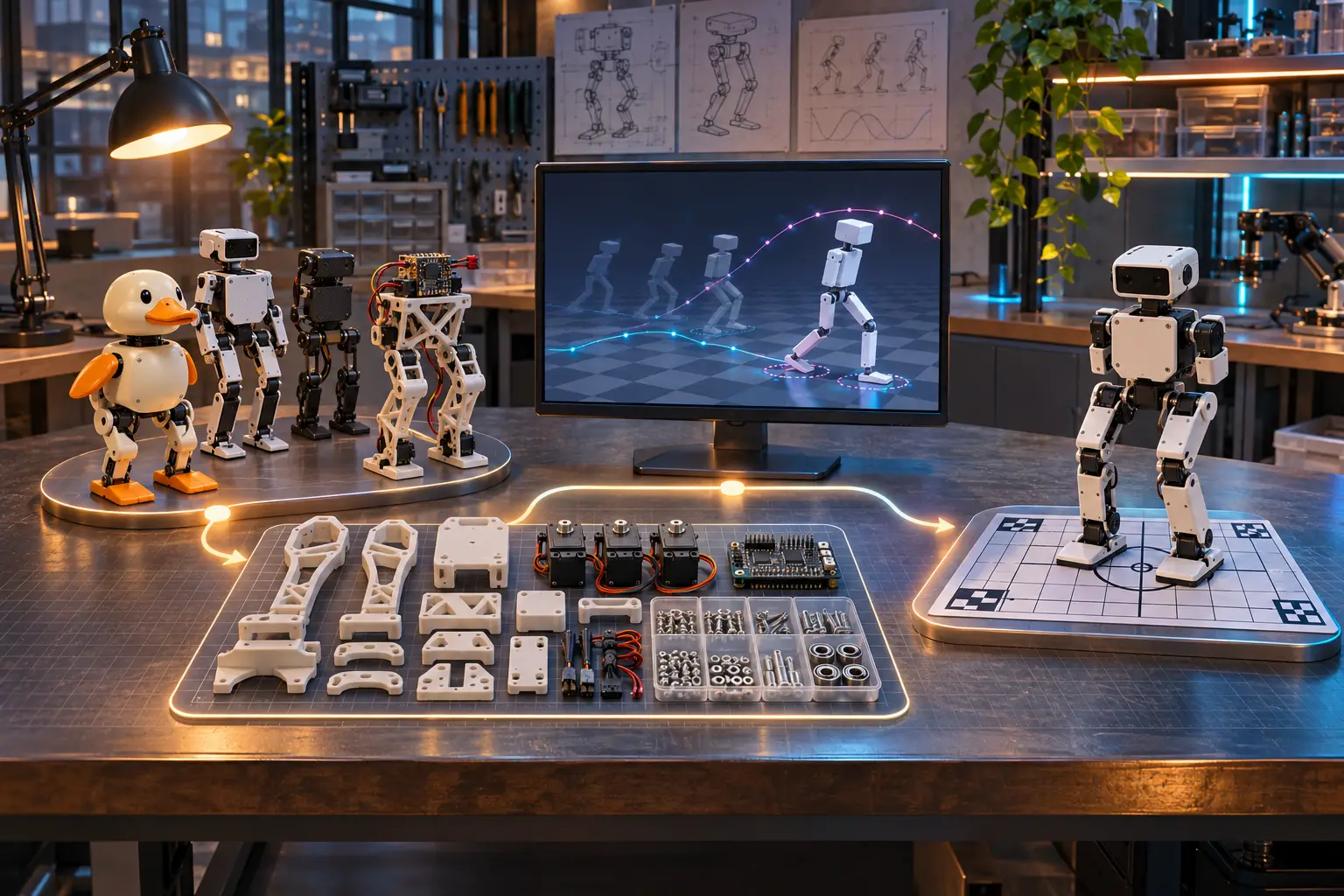
Start with your job, not the longest guide: use Best biped robots or Small biped robot to choose a product, Open source biped robot and How to build a biped robot to understand a build, 3D printed biped robot for manufacturing files, and Biped robot reinforcement learning for policy training. This page is the map across Microduck’s biped robot guides, from first buying decision through simulation, hardware and real-world testing.
The guides answer different questions, so reading all of them in sequence is unnecessary. Match the guide to the decision in front of you. If you are still deciding whether to buy or build, start with the comparison pages. If you already own or have chosen a robot, move directly to programming, training or troubleshooting.
Which biped robot guide should you start with?
Start with the buy-or-build question. If you want a working robot with known hardware and support, use the buying guides. If the mechanical build is the learning objective, use the open-source and DIY routes. If you already have a robot and want new behaviour, start with reinforcement learning or the simulator.
| Your current question | Start here | Then read |
|---|---|---|
| Which complete robot should I buy? | Best biped robots | Small biped robot and Microduck alternatives |
| What will the complete project cost? | Open Duck Mini v2 build cost | Microduck cost and Where to buy |
| Should I buy Microduck or build Open Duck? | Microduck vs Open Duck Mini | Open source biped robot |
| How do I design a biped from requirements up? | How to build a biped robot | 3D printed biped robot |
| Which kit or assembled route fits a beginner? | DIY biped robot kit | Small biped robot |
| How do I train a walking policy? | Biped robot reinforcement learning | Robotics reinforcement learning projects |
| Why does the policy fail on hardware? | Sim-to-real robotics | Robot policy evaluation |
| Where are official code and community links? | Microduck GitHub | Microduck Hugging Face and Microduck Discord |
The first decision reduces the rest of the search. Most buyers who start with “best robot” are really asking whether they want a product, a project or a training platform. Answer that first.
Which guides help you choose a complete or open robot?
Use the buyer guides when time-to-first-working-robot, supplier support, spares and software access matter more than printing and assembling the body. The useful comparison separates assembled products from projects with a bill of materials.
- Best biped robots compares Microduck, Open Duck Mini v2 and Hiwonder TonyPi by arrival state, price, software access and buyer fit.
- Small biped robot explains the dimensions, actuator requirements, stability trade-offs and beginner choices behind the category.
- Microduck alternatives widens the field to interaction, quadruped, manipulation and companion robots.
- Microduck vs Open Duck Mini is the direct buy-or-build comparison.
- Microduck vs Beni explains why a physical biped and a browser racing game are not direct competitors despite sharing training ideas.
The price columns are not equivalent totals. Microduck is $399 assembled before taxes and shipping. Open Duck’s published target is a full BOM below $400, before printing, tools, spares, shipping, tax and labour. A build can still be the right choice when the project itself is the value, but the parts target should not be presented as a delivered working robot.
For product-specific facts, use Microduck specs rather than older comparison posts. Prices and bundles can change, so confirm the current maker listing before ordering.
Which guides help you build or 3D print a biped?
Use the build guides when you intend to choose parts, modify geometry, print structure or understand the integration work. Begin with requirements and system boundaries; beginning with a printable shell hides the actuator, electronics and calibration decisions that determine whether the robot walks.
The sequence is:
- Open source biped robot - identify which layers of a project are actually published: software, simulation, mechanical files, electronics, BOM and support.
- How to build a biped robot - define the task, size the joints, design a serviceable frame, wire electronics, simulate, calibrate and test in stages.
- 3D printed biped robot - distinguish a simulation mesh from a print-ready part and evaluate materials, tolerances, load paths and replacement strategy.
- DIY biped robot kit - compare a complete Open Duck build, an assembled Microduck that can be modified in software, and a conventional ready-made humanoid kit.
- Open Duck Mini v2 build cost - add the printer, tools, spares, shipping, tax and labour that the BOM excludes.
Open source claims need precise language. Microduck publishes its software, SDK, simulator and reinforcement-learning environments under Apache-2.0, while complete mechanical and electronic manufacturing files are not public. Open Duck Mini v2 is the fuller hardware build route. “Open source robot” can describe very different levels of access, which is why the licence layer and reproducible revision matter more than a repository title.
Which guides explain reinforcement learning and hardware transfer?
Use the learning guides after the robot or simulation target is defined. Reinforcement learning does not replace a weak mechanism: actuator saturation, joint play, sensor delay and unstable power still limit what a policy can learn.
The learning path is:
- Biped robot reinforcement learning - reward design, curriculum, actuator and contact randomisation, policy evaluation and deployment.
- Robotics reinforcement learning projects - eight project routes spanning Gymnasium, MuJoCo Playground, mjlab, Microduck RL, Open Duck, LeRobot, Unitree RL Gym and OpenBeni.
- How to train Microduck - the product-specific workflow from simulator setup through training, export and first hardware run.
- Microduck training compute - local CUDA hardware versus hosted Hugging Face Jobs.
- Sim-to-real robotics - the model and transfer gap between simulation and physical hardware.
- Robot policy evaluation - test scenarios, safety gates and metrics for success, falls, recovery, intervention and repeatability.
A good project records more than reward. Keep the repository revision, environment count, seed, observation and action shapes, training curves, held-out scenarios and hardware result together. That evidence supports a repeatable conclusion; a short montage only shows that one run looked good.
If the target is manipulation rather than legged locomotion, use the robotics reinforcement learning projects guide to choose LeRobot and the relevant hardware path instead of forcing an arm use case into a biped guide.
Where can you verify sources or ask the community?
Use official sources for product facts and software identity, then use the community for experience and implementation discussion. These are different evidence levels.
- Microduck GitHub maps the official runtime, SDK, simulator and training repositories.
- Microduck Hugging Face separates the official Space and model layer from the physical store.
- Microduck Discord explains where to ask community questions and how to report errors safely.
- Microduck official sources verifies the maker and store before payment.
- Microduck support handles order, delivery and hardware cases through
support@microduck.homes. - Documentation is the maintained entry point for setup and commands.
For a reproducible software bug, use the relevant GitHub issue tracker rather than a chat thread. For community experience, Discord is appropriate. For an order or warranty question, use support. This routing keeps private information out of public channels and attaches software evidence to the code it concerns.
The Microduck 中文指南 provides a Chinese overview of price, features, open-source boundaries and buying. The site’s default technical documentation remains in English, and this hub does not promise localized support.
What else should you read about Microduck?
Use the broader Microduck guides when the decision moves beyond the robot category itself. These pages cover the maker, research use, classroom context, first session, shipped behaviours, media record and project ideas.
- About Microduck - who makes the robot, why it is open and where it is sold.
- Microduck for AI research - onboard hardware, SDK, simulation and honest research limits.
- Microduck in education - classroom, club and lab uses with safety boundaries.
- Getting started with Microduck - the first hour from unboxing to the first walk.
- Microduck moves - the seven shipped behaviours and how their policies run.
- Microduck press - verified coverage, fast facts and the official press kit.
- Microduck projects - twelve directions for coding, training and physical experiments.
These links are intentionally part of the guide map, not a generic related-posts widget. Each answers a distinct next question and can be reached directly from the main content.
What is a realistic first biped robot project?
A realistic first project produces one narrow, measurable behaviour with a safe fallback. Examples are a supported standing pose, velocity tracking on a hard level surface or a simulator-only recovery policy. “Build an autonomous humanoid this month” is not a project scope; it is several hardware and software programmes at once.
Use this ordering:
- Confirm the robot, simulator and software version.
- Establish a baseline with the shipped controller or policy.
- Change one variable at a time.
- Measure repeatability on held-out runs.
- Test with the robot supported before giving it unsupervised floor space.
- Record the result and the failure cases before scaling the experiment.
The most useful first outcome is not a dramatic video. It is a result another person can reproduce and a clear list of what remains uncertain.
Biped robot guides FAQ
Which guide should a complete beginner read first? Start with Small biped robot to understand the category, then Best biped robots if the goal is to buy.
Where should a maker start? Read Open source biped robot, then How to build a biped robot. Use DIY biped robot kit before choosing a build route.
How do I begin reinforcement learning? Read Biped robot reinforcement learning for the workflow and Robotics reinforcement learning projects to choose a project.
Why does my trained policy fail on hardware? Read Sim-to-real robotics, then evaluate held-out scenarios with Robot policy evaluation. A single successful simulator run is not transfer evidence.
Where are the official source and community links? Use Microduck GitHub, Microduck Hugging Face, Microduck Discord and Microduck support for their separate roles.
Key takeaways
- Choose a guide by the decision you need to make, not by word count.
- Buying and building are different projects, even when their prices look similar.
- A BOM does not include printing, tools, spares, tax, delivery or labour.
- Reinforcement learning starts after the mechanism and simulator are defined.
- Policy evaluation and held-out testing are required before claiming hardware success.
- Official product facts belong to the store and repositories; community advice belongs to Discord.
Where to go next
- Microduck robot overview - understand the product before choosing a guide
- Microduck pre-order - the assembled $399 option
- Best biped robots - the product shortlist
- How to build a biped robot - the engineering sequence
- Biped robot reinforcement learning - the control and training workflow
- Documentation - runtime, SDK and simulator reference