
Robotics Reinforcement Learning Projects: A Practical Guide
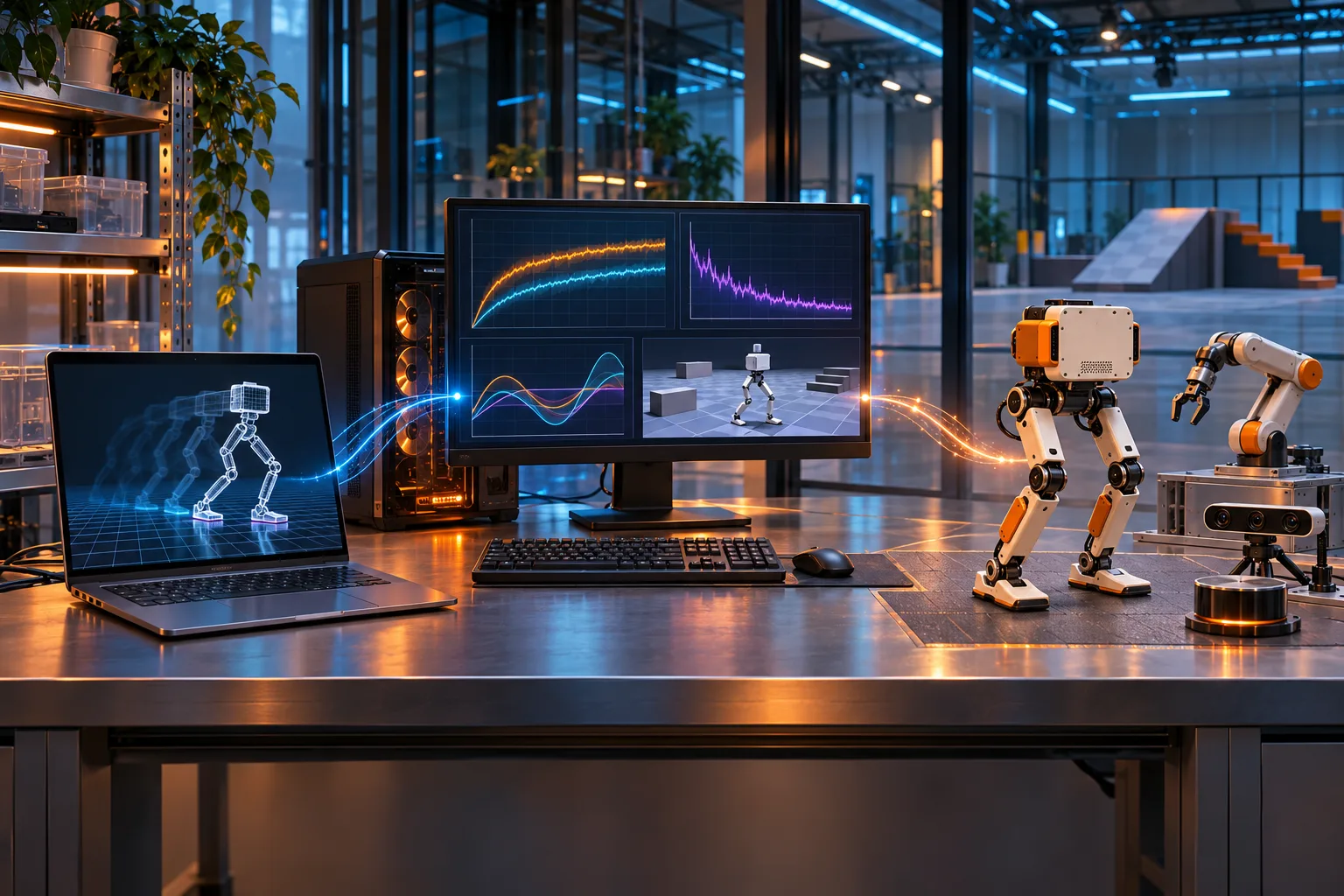
Start with Gymnasium to learn the reinforcement-learning loop, move to MuJoCo Playground or mjlab for GPU-accelerated robot environments, then choose Microduck RL for an assembled biped, LeRobot for manipulation, or Unitree RL Gym for larger quadruped and humanoid platforms. Open Duck Playground is the route for studying the Open Duck Mini v2 stack, while OpenBeni provides a no-hardware browser project. The best choice depends on the skill you want to prove: environment design, locomotion, manipulation, sim-to-real transfer or hardware integration.
This guide is written by the team behind Microduck, one of the projects below. Project capabilities, repository locations and detected licences were checked against the linked primary sources on 3 November 2026. The list is organised by learning outcome rather than GitHub popularity, and it does not claim that every public repository carries a standard open-source licence.
What makes a good robotics reinforcement learning project?
A good robotics RL project proves a complete loop: define an environment and observation, choose an action space, train a policy, evaluate it on held-out scenarios and understand what would be required to run it on hardware. A notebook that only reports a rising reward is a training demo. A useful project tells you whether the learned behaviour is repeatable, safe and transferable.
The strongest first project has five properties:
- A clear control task such as balancing a pole, tracking a velocity or picking up an object.
- A reproducible environment with pinned dependencies and a documented reward.
- A baseline from random, zero and trained policies.
- Separate evaluation conditions that were not used to tune the policy.
- A truthful hardware boundary that distinguishes simulation, sim-to-sim and physical deployment.
Information gain matters here. Many repositories publish a training script; fewer explain how to inspect actuator assumptions, run a baseline and catch reward hacking. When comparing projects, prefer the one that makes failure visible. The robot policy evaluation guide provides a test ladder that applies to every project listed below.
Which robotics reinforcement learning project should you start with?
Start with Gymnasium if reinforcement learning itself is new. Start with MuJoCo Playground if you know the RL loop and want GPU-accelerated robotics environments. Choose Microduck RL when the target is an assembled sim-to-real biped, and LeRobot when manipulation and real-robot data are the objective.
The decision is mostly about where you want the uncertainty:
| Your goal | Best starting project | Why |
|---|---|---|
| Learn states, actions, rewards and evaluation | Gymnasium | Small, standard environments let you focus on the RL loop |
| Run robot locomotion experiments quickly | MuJoCo Playground | GPU-accelerated control, locomotion and manipulation environments |
| Build tasks with an Isaac Lab-style manager API | mjlab | MuJoCo Warp training with a structured task-building model |
| Train a small biped and deploy through ONNX | Microduck RL | The environment, real robot and policy contract belong to one project |
| Study the Open Duck Mini v2 training stack | Open Duck Playground | Focused MuJoCo playground environments for that robot |
| Learn manipulation with real-robot data | LeRobot | Datasets, policy training, evaluation and hardware interfaces |
| Move to larger Unitree robots | Unitree RL Gym | Go2, H1, H1-2 and G1 with a documented sim-to-real process |
| Try a robot project with no hardware | OpenBeni | Browser-based MuJoCo simulation and a complete game loop |
For a first serious project, avoid combining a novel robot, a novel simulator and a novel algorithm at the same time. Keep two layers stable and change one. That makes it possible to assign blame when training fails.
Which robotics reinforcement learning projects are worth trying?
These eight projects cover complementary paths: foundations, simulation, locomotion, manipulation and browser-accessible experimentation. They are not interchangeable, and several can be used in sequence.
1. Gymnasium - learn the RL environment contract
Gymnasium is the maintained API lineage behind the original Gym interface. It is not a robot simulator, but it is the clearest place to learn observations, actions, rewards, termination, truncation and wrappers before robot physics complicates every one of those decisions.
Use it when you can explain an RL loop conceptually but have not debugged a vectorised environment. A sensible first project is CartPole or a continuous-control task with a fixed seed and a transparent baseline. Instrument episode return, episode length, action distribution and evaluation variance.
Stack: Python, standard RL environments and common RL libraries
Hardware: CPU is sufficient for small experiments
Detected licence: MIT
Information gain: clean comparison between a random policy, a scripted baseline and a trained policy before introducing contact dynamics
Do not use Gymnasium success as evidence that a walking policy will transfer to hardware. It is the foundation layer, not the sim-to-real layer.
2. MuJoCo Playground - a broad simulation-first route
MuJoCo Playground provides GPU-accelerated environments for robot learning. Its documented scope includes classic control, quadruped and biped locomotion, manipulation and vision-based environments, with training available through MuJoCo MJX and MuJoCo Warp.
This is the strongest first choice when you want to compare task families before committing to one robot. The repository includes Colab tutorials for the control suite, locomotion, manipulation and vision. A practical first experiment is CartpoleBalance, followed by one locomotion environment and one manipulation environment so you see how observation and action design changes.
Stack: MuJoCo MJX, MuJoCo Warp, JAX, Python and GPU acceleration
Hardware: A GPU is strongly recommended for practical training; basic experiments can begin at smaller scale
Detected licence: Apache-2.0
Information gain: one environment suite lets you separate “my RL loop is broken” from “my robot model is broken”
The project explicitly documents precision issues on some NVIDIA Ampere GPUs. For reproducibility-sensitive work, set the documented matrix-precision flag and record the GPU architecture with the result.
3. mjlab - scalable task construction on MuJoCo Warp
mjlab combines an Isaac Lab-style manager API with MuJoCo Warp. The manager model separates scene, observation, reward, termination and command configuration, which becomes valuable when a toy task grows into a maintained robotics project.
Start with the no-installation demo, then train the documented Unitree G1 velocity task or a small custom task. Compare the experiment with the same task in MuJoCo Playground. The goal is not to declare one framework universally better; it is to learn how task abstractions affect iteration speed and debuggability.
Stack: MuJoCo Warp, Isaac Lab-style environment managers, Python and NVIDIA GPU
Hardware: NVIDIA GPU required for training; macOS is documented for evaluation only
Detected licence: Apache-2.0
Information gain: a task-building API that scales better than a single monolithic training script
mjlab is one of the foundations used by Microduck RL, but the framework and the finished robot workflow are different products. Learn mjlab when environment architecture is the subject; use Microduck RL when deployment to the duck is the subject.
4. Microduck RL - assembled biped plus sim-to-real deployment
Microduck RL trains locomotion and trick policies for the 25 cm Microduck biped. The project uses mjlab, MuJoCo Warp and PPO, exports policies to ONNX and deploys them through the Microduck runtime.
Its distinguishing value is the complete policy contract. Training targets a 50 Hz control loop with a 61-value observation and 14-value action interface. The repository models actuator voltage behaviour, friction, backlash, delay and battery sag, then provides evaluation and export paths. The README documents a walking-policy command at 4,096 environments and an approximate one-to-two-hour run for a usable gait on suitable local hardware.
Stack: mjlab, MuJoCo Warp, PPO, PyTorch and ONNX
Hardware: CUDA GPU for local training; the finished policy runs onboard the robot
Detected licence: Apache-2.0
Information gain: training, policy contract and physical robot reference in one maintained loop
This is not the cheapest zero-hardware RL tutorial. Choose it when an assembled physical biped changes the question from “does the simulation reward go up?” to “does this policy stand, walk and recover without violating the robot’s constraints?” Follow how to train Microduck for the product workflow and biped robot reinforcement learning for reward and curriculum design.
5. Open Duck Playground - study an open duck build stack
Open Duck Playground contains MuJoCo Playground-inspired RL environments for Open Duck Mini v2. It documents flat and rough terrain workflows, actuator backlash, export to ONNX and simulation inference for the robot.
Use this project when building or studying the full Open Duck hardware path is the goal. It complements Open Duck Mini v2, which publishes CAD, bill-of-materials and build resources. A sensible first experiment is the documented flat-terrain task with a small environment count, followed by a controlled comparison against the backlash task.
Stack: MuJoCo Playground-style environments, Python, ONNX and MuJoCo
Hardware: A workstation for training; the Open Duck robot is optional until sim-to-real work begins
Detected licence: GitHub exposed no standard licence at the time of review; verify the repository’s terms before redistributing code or derived assets
Information gain: direct access to the mechanics, training stack and hardware assumptions of one open robot project
Do not call a public repository open source if it does not grant licence rights. “Code is visible” and “code may be reused” are different claims.
6. LeRobot - manipulation and real-robot data
LeRobot focuses on real-world robot learning with a Python-native interface, datasets, policies and evaluation tools. Its current documentation includes imitation-learning, reinforcement-learning and vision-language-action policies, plus hardware integrations including SO-101 and other arms.
For an RL project, use it when a physical arm and data collection are central. A strong first task is a small pick-and-place or object-repositioning experiment with a fixed set of object positions, recorded failures and an evaluation split held out from demonstration collection. HIL-SERL is the documented human-in-the-loop RL route; TDMPC is another listed policy path.
Stack: PyTorch, LeRobot datasets, Hugging Face Hub and robot-specific hardware integrations
Hardware: Depends on the policy and robot; an arm plus cameras is typical for end-to-end physical experiments
Detected licence: Apache-2.0
Information gain: data collection, model training, evaluation and deployment share one interface
This differs from a biped locomotion project. Choose LeRobot when manipulation is the subject, not merely because it has “robot” in the title. The Microduck vs SO-101 comparison explains legs versus arms as embodied-AI projects.
7. Unitree RL Gym - a larger locomotion and deployment workflow
Unitree RL Gym provides reinforcement-learning implementations for Unitree Go2, H1, H1-2 and G1. Its documented sequence is Train → Play → Sim2Sim → Sim2Real, with Isaac Gym training, MuJoCo sim-to-sim validation and physical deployment examples.
This project fits a lab or experienced team that already has, or can access, Unitree hardware and the required NVIDIA environment. The local workflow and hardware cost make it a poor first project for someone who only wants to learn PPO. The payoff is a credible staged process for moving a locomotion policy through multiple simulators before controlling a full-size robot.
Stack: Isaac Gym, MuJoCo, PyTorch and Unitree deployment code
Hardware: NVIDIA GPU for training; Go2, H1, H1-2 or G1 for the final stage
Detected licence: BSD-3-Clause
Information gain: explicit simulator transfer and real-robot deployment stages for larger commercial platforms
Treat physical testing as a separate safety-critical project. A repository command is not a risk assessment. Review the hardware manual, joint limits, emergency-stop process and supervised operating area before running a policy on a full-size robot.
8. OpenBeni - a zero-hardware project with a visible endpoint
OpenBeni is a browser robot-racing game built with MuJoCo WebAssembly and ONNX policies. Its Hugging Face Space includes the playable application, robot assets, policies and training-related source, so the distance between experiment and observable behaviour is short.
Use it when you need an RL project that a student, reviewer or teammate can open in a browser. Start by running the public game, then inspect the published robot model and policy files, then reproduce a small training or evaluation task from the source. The project is a simulator and a game rather than a physical-robot programme.
Stack: MuJoCo WebAssembly, ONNX, Python training source and a browser runtime
Hardware: A modern browser is enough to play; training still benefits from suitable compute
Detected licence: MIT
Information gain: immediate browser feedback plus inspectable policy and training artefacts
The Microduck vs Beni comparison explains why a browser game and a physical biped can share tooling without becoming the same product.
What hardware do you need for robotics reinforcement learning?
The minimum hardware ranges from a browser to a CUDA workstation plus a robot, depending on the project. The zero-hardware route is OpenBeni for immediate interaction or a small Gymnasium environment for learning the loop. Practical robot training then moves to a GPU, while the physical stage adds the robot, safe space, power, spare parts and supervision.
| Hardware level | Works for | Realistic start |
|---|---|---|
| Browser only | Playing Microduck or OpenBeni; inspecting robot assets | Run the hosted simulator and record baseline behaviour |
| CPU laptop | Gymnasium fundamentals and small MuJoCo evaluations | Train and evaluate a low-dimensional control task |
| Local or hosted NVIDIA GPU | mjlab, Microduck RL and mature MuJoCo training workflows | Train with a small environment count before scaling up |
| GPU plus physical arm | LeRobot manipulation experiments | Collect a deliberately small dataset and reserve evaluation objects |
| GPU plus full-size robot | Unitree RL Gym deployment | Complete simulation and safety review before powered testing |
A device that can display a policy is not necessarily suitable for training one. The robot can run a finished ONNX policy without a desktop GPU; the GPU belongs to the training stage. The Microduck training compute guide explains that split in detail.
What should your first robotics RL experiment prove?
Your first experiment should prove that the environment, baseline, training signal and evaluation metric agree, not that the policy has solved the whole task. Establish that evidence before scaling environment count or adding complexity.
Use this sequence:
- Run zero actions. Confirm the environment starts and terminates for the intended reason.
- Run random actions. Record the reward range, failure modes and episode length.
- Run a scripted or supplied baseline. Know what a non-learned controller can achieve.
- Train with a fixed seed and small environment count. Confirm that logs, checkpoints and evaluation are reproducible.
- Evaluate on held-out seeds or scenarios. Report distribution, not one lucky episode.
- Change one factor. Increase terrain variation, batch size or reward term only after the baseline is stable.
- Test transfer before touching hardware. Run in another simulator or a supported stand when available.
For Microduck, that sequence maps naturally to the official browser simulator, a small local training run, a policy viewer and finally supervised hardware checks. For LeRobot, it maps to a fixed dataset, a baseline policy, held-out objects and a controlled physical workspace.
What mistakes make robotics reinforcement learning projects fail?
The most common failure is optimising a reward without defining what counts as safe, repeatable task success. Other frequent failures are training and evaluating on the same seeds, copying commands from an outdated branch, ignoring actuator behaviour, treating a BOM as a complete project cost and moving to hardware before basic failure tests pass.
Use a project log that captures:
- repository and commit
- operating system, Python and CUDA versions
- GPU model and driver
- simulator and physics backend
- number of environments, seed and training steps
- reward configuration and observation/action shapes
- evaluation scenarios, number of episodes and failure counts
- policy export format and deployment checks
That log turns a successful demo into evidence someone else can reproduce. It also makes the source of regressions visible when a dependency or policy changes.
A specific warning applies to public robot repositories: verify the licence before redistributing code, models or assets. Apache-2.0, MIT and BSD-3-Clause are reusable open-source licences with different conditions. A repository without a standard licence still exposes source, but does not automatically grant the same rights.
Robotics reinforcement learning projects FAQ
What is the best robotics reinforcement learning project for a beginner? Start with Gymnasium to learn the environment contract, then move to CartpoleBalance in MuJoCo Playground. Choose Microduck RL only when you want to study an assembled biped and its sim-to-real path.
Can I do robotics reinforcement learning projects without hardware? Yes. Gymnasium, MuJoCo Playground, mjlab, OpenBeni and the simulators for Microduck and LeRobot can all be explored before buying or operating a physical robot.
Do I need an NVIDIA GPU for robotics RL? Not for fundamentals or browser simulations. Practical training for mjlab, Microduck RL and larger MuJoCo environments uses a CUDA-capable NVIDIA GPU. Hugging Face Jobs is the documented hosted alternative for Microduck.
Which project is best for biped or humanoid locomotion? Microduck RL is the most complete assembled small-biped route. Open Duck Playground targets a printable Open Duck build. Unitree RL Gym covers larger H1, H1-2 and G1 platforms but requires significantly more hardware and safety work.
Which project is best for manipulation? LeRobot is the focused option because it combines robot interfaces, datasets, policy training, evaluation and deployment. It supports imitation and reinforcement-learning policies rather than pretending every manipulation task is locomotion.
Are all these robotics RL projects open source? No. Detected licences include MIT, Apache-2.0 and BSD-3-Clause, but Open Duck Playground did not expose a standard licence at review time. Always check the exact repository, revision and asset terms before reuse.
What should I learn before training a walking robot? Learn observations, actions, reward design, termination, vectorised environments, baseline evaluation and basic rigid-body physics. Then study actuator limits, domain randomisation and sim-to-real evaluation before testing anything physical.
Key takeaways
- Choose a project by the evidence it lets you produce, not by the number of training environments.
- Gymnasium teaches the RL contract; MuJoCo Playground and mjlab provide scalable robot environments.
- Microduck RL connects a small biped’s simulation, policy contract and physical deployment.
- LeRobot is the manipulation route; Unitree RL Gym is the larger locomotion platform route.
- OpenBeni is the fastest zero-hardware browser project.
- Verify licences, baseline behaviour, held-out evaluation and hardware safety before scaling.
Where to go next
- Best robots for reinforcement learning - choose the physical platform
- Biped robot reinforcement learning - rewards, curriculum and deployment
- Sim-to-real robotics - close the simulator-to-hardware gap
- Robot policy evaluation - build a defensible test ladder
- How to train Microduck - the complete Microduck workflow
- Microduck simulator - try the robot before installing the training stack
- Microduck for AI research - platform capabilities and limits
- Best Python robot kits - compare programming-first hardware
- Pre-order Microduck - the assembled physical option