
Small Biped Robot: How to Choose the Right One (2026)
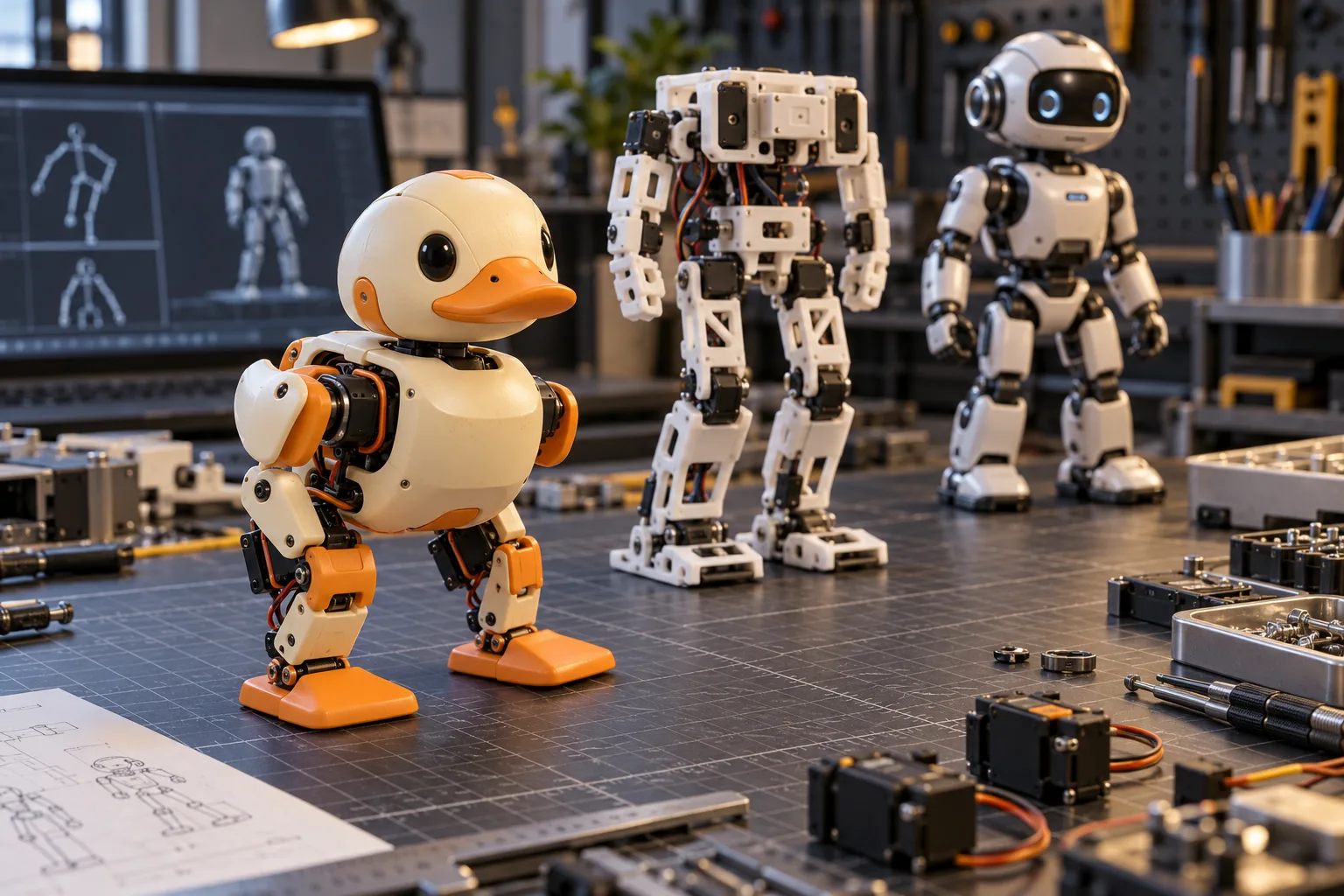
Choose a small biped robot by the experience you want first: buy Microduck when you want an assembled, retrainable walking robot; build Open Duck Mini v2 when printing and integration are part of the goal; choose Hiwonder TonyPi when a conventional humanoid kit and packaged Raspberry Pi demos matter more than open policy training. Every option below makes real mechanical trade-offs. The useful comparison is not which robot has the longest feature list, but which one fits your space, software experience, budget and tolerance for debugging.
This is a buying guide from the team behind Microduck, one of the robots compared here. Prices were checked against maker pages on 2 November 2026 and exclude tax and delivery unless stated. Specifications and availability can change, so confirm the current configuration before paying.
What is a small biped robot?
A small biped robot is a two-legged machine built for a desk, classroom or compact lab rather than industrial work. In this guide, “small” means roughly 15–50 cm tall: large enough to carry actuators, batteries and sensing, but small enough to fit on a workbench and be handled by one person.
The important distinction is that two legs do not automatically make two robots comparable. A walking biped must continuously control balance. Each step combines motor torque, foot contact, centre of mass, sensor feedback and control latency. A small humanoid may spend its processing budget on gestures or vision demonstrations instead. Before comparing brands, decide whether the project is about locomotion, programming, building or interaction.
Microduck is a clear reference point: its body is 25 cm tall and under 800 g, with 15 motors, a camera, LiDAR, two IMUs and a 50 Hz onboard policy loop. Those numbers matter because a lightweight machine has less kinetic energy when it falls, while a desk-scale workspace makes repeated experiments practical.
What should you compare before buying a small biped?
Compare six things in this order: the task, arrival condition, software access, hardware openness, support model and all-in cost. A lower sticker price is misleading if you still need a printer, tools, a spare motor or weeks of integration.
| Decision | What to ask | Why it changes the answer |
|---|---|---|
| Goal | Walk, build, program, teach or demonstrate? | A built walking platform, a printed project and a humanoid demo kit solve different jobs. |
| Arrival state | Assembled, kit or design files? | Assembly is part of the product when the build is the point, and overhead when it is not. |
| Software | SDK, simulator, training code and policy format? | A Python API is useful; an inspectable simulation-to-hardware loop is a different level of access. |
| Hardware | Are CAD, electronics and manufacturing files published? | Open software does not mean the complete mechanical design is available. |
| Support | Maker support, community help or both? | The builder owns integration in a community project; a product has a defined support route. |
| Total cost | Parts, printing, tools, spares, shipping and tax? | A bill of materials is not a delivered working robot. |
This framework prevents a common mistake: treating every small biped as a cheaper substitute for a larger humanoid. A 25–42 cm robot is excellent for learning control, but it is not a payload platform, a full-size research humanoid or a substitute for a robot arm when the task is manipulation.
Which small biped robots are worth comparing in 2026?
Three current options cover the main buying routes: Microduck for an assembled, retrainable robot; Open Duck Mini v2 for a complete print-and-build project; and Hiwonder TonyPi for a conventional ready-made humanoid platform. Reachy Mini is another Pollen Robotics product at a similar entry price, but it is an interactive desktop robot rather than a walking biped, so it does not belong in this walking shortlist.
| Robot | Arrival state and role | Current reference price | Openness | Best fit |
|---|---|---|---|---|
| Microduck | Assembled 25 cm walking duck; seven trained moves; Python SDK, browser simulator and RL stack | $399 before taxes and shipping | Apache-2.0 software; complete hardware manufacturing files are not published | A first real sim-to-real platform without a body build |
| Open Duck Mini v2 | Roughly 42 cm with legs extended; CAD, printed parts, BOM, runtime and community build path | Official full BOM target under $400 | Broad open project covering mechanical and software work | A maker who wants to print, source, assemble and integrate the robot |
| Hiwonder TonyPi | Ready-made small humanoid with Raspberry Pi configurations, vision and voice examples | Official US page showed $599.99–$869.99 depending on kit and Raspberry Pi option | Product platform with app and Python programming access | A buyer who wants humanoid form and packaged demonstrations |
The price columns are not like-for-like totals. Microduck is an assembled product price. Open Duck’s under-$400 figure is a parts target that excludes printing, tools, spares, shipping, tax and labour. TonyPi’s range reflects different hardware bundles. Compare the cost of reaching the first useful experiment, not only the number at the top of the store page.
Which small biped robot is best for a beginner?
Microduck is the lower-risk first retrainable biped because it arrives assembled and calibrated with seven working moves. Open Duck Mini v2 is the better beginner choice only when building and debugging the hardware are part of the learning objective. TonyPi is easier to justify when the beginner wants a conventional humanoid and ready-made software examples.
“Beginner” still needs a definition. If you are comfortable with Python and want to study policies, Microduck removes the mechanical integration risk while keeping the sim-to-real work visible. If you have never soldered, flashed firmware or set joint limits, a full design-files build adds several new failure domains before the first walk.
Whichever robot you choose, plan the first week around one narrow result:
- Confirm that the robot and software match the official current version.
- Test communication or the simulator before changing any behaviour.
- Verify joint directions, limits and emergency-stop behaviour.
- Run the supplied baseline on a hard, level surface or on a stand.
- Change one variable at a time and record what happened.
The best biped robots comparison covers the product-level decision in more detail. If your shortlist goes beyond walking robots, the nine Microduck alternatives separate interaction, quadruped, manipulation and companion products.
What makes a small biped stable?
A stable small biped needs enough actuator torque, low joint play, fast sensing and control, useful foot traction, and a body layout that keeps the centre of mass inside the support strategy. Motor count alone does not answer the question. A joint with too much backlash or a power rail that sags under load can defeat a good policy.
The mechanical and software systems have to agree:
- Actuators must handle standing and recovery loads, not only the average walking torque.
- Joint feedback must identify the real angle with enough accuracy for control and calibration.
- IMUs and timing must report orientation and motion without introducing excessive delay.
- Feet and floor must provide predictable contact; carpet changes the problem more than many first-time buyers expect.
- Mass placement must leave room for batteries and sensing without turning the robot into a top-heavy tripod problem.
- The safety layer must keep limits, fall handling and motor ownership consistent between simulation and hardware.
Microduck’s published 50 Hz onboard loop is designed to keep control local rather than depend on a remote server. Its walking behaviours are policies trained in simulation, so the practical learning path is not only “program a command” but also model, train, evaluate and transfer. The Microduck software architecture explains the runtime, while biped robot reinforcement learning covers the policy workflow.
Should you buy an open-software or fully open robot?
Choose fully open hardware when you want to inspect, print and change the mechanism; choose an open-software product when you want a supported body and access to the SDK, simulator and training stack. The labels are not interchangeable.
Open Duck Mini v2 gives the builder access to a much broader project: CAD, a BOM, printed parts, runtime and community training resources. You can own the integration, which is why the project is valuable to makers. It also means the quality of the assembled robot depends on your sourcing, print settings, wiring and calibration.
Microduck keeps the physical product under the maker’s control while publishing its software under Apache-2.0. You can inspect and modify the Python SDK, simulation environment, training code and policy deployment workflow, but you cannot treat the public files as a complete manufacturing package. The open-source biped robot guide compares those layers directly.
That boundary is useful rather than cosmetic. If the goal is to study reward design or transfer a policy, an already calibrated body removes variables that are difficult to debug. If the goal is to learn mechanical design, removing the build removes the subject.
How much does a small biped robot cost?
Budget $399 for assembled Microduck, an official under-$400 parts target plus build overhead for Open Duck Mini v2, and $599.99–$869.99 for the currently listed TonyPi configurations. None of those figures is a complete delivered cost for every buyer.
For Open Duck, add a printer or print-service quote, filament, failed prints, tools, fasteners, spare components, shipping and tax. For TonyPi, check which Raspberry Pi and kit variant is included. For Microduck, taxes and shipping appear at checkout, and optional packs are separate purchases.
The most useful budget is a three-column list:
| Cost group | Microduck | Open Duck Mini v2 | TonyPi |
|---|---|---|---|
| Robot or parts | $399 assembled | Official BOM target under $400 | $599.99–$869.99 by configuration |
| Build or accessory overhead | Optional packs only if needed | Printing, tools, spares, shipping and mistakes | Depends on the selected bundle |
| Time and learning cost | SDK, simulation and policy setup | Full sourcing, assembly, wiring and calibration | Platform setup and packaged examples |
If the project must produce a repeatable test platform quickly, paying for assembly can be the rational engineering choice. If the build itself is the outcome, a larger parts bill can still be the better use of the budget. The Open Duck Mini v2 build cost guide separates the spreadsheet from the real project.
Can you 3D print a small biped robot?
Yes, but printable files are useful only when they are part of a complete, reproducible design. Shells or simulation meshes alone are not a manufacturing package. A viable printed biped needs load paths, joint tolerances, fastener access, replacements for wear parts, electronics fit and a supported calibration procedure.
Open Duck Mini v2 is the clearest full-build route because the printed structure is joined to a published BOM, runtime and build community. Microduck publishes simulation and visual meshes, but the complete hardware design and official assembly package are not public; printing a set of meshes does not create a supported Microduck.
Read the 3D printed biped robot guide before choosing filament or a print service. The DIY biped robot kit comparison then separates a full build, an assembled platform and a conventional humanoid kit.
What should you verify before ordering?
Verify the exact revision, what is included, the software licence, the support route and the current delivered price. A search result can point to an older model, a different bundle or a community fork even when the product name looks similar.
Use this checklist:
- The maker and product name match the official source.
- The listing states assembled, kit or design-files status.
- Dimensions, weight, motors and sensing describe the exact variant.
- The SDK and simulator are available before you depend on them.
- Open-source claims identify whether software, mechanical files or both are published.
- Spare parts and support have a clear route.
- Tax, shipping and configuration costs are visible before payment.
- The first experiment can be completed safely in the space you have.
For Microduck specifically, compare the published specifications and use the official-source checklist before paying. The Hugging Face resource guide explains which official simulator, policy and model repositories sit outside the store.
Small biped robot FAQ
What is a small biped robot? It is a two-legged robot around desktop or classroom scale. This guide uses roughly 15–50 cm as a practical range, while noting that walking ability and task matter more than an arbitrary height cutoff.
Which small biped robot is best for a beginner? Microduck is the lower-risk starting point for learning policies because it arrives assembled with trained moves. Open Duck Mini v2 is better when building and integrating the hardware are explicit learning goals.
Is Microduck fully open source? Its software, SDK, simulation and reinforcement-learning stack are published under Apache-2.0. Complete mechanical and electronic manufacturing files are not public, so it is not open-source hardware.
Is Open Duck Mini v2 cheaper than Microduck? Its official parts target is below $400, while Microduck is $399 assembled. Add printing, tools, spares, shipping, tax and build time before deciding which is cheaper as a complete project.
Do I need a GPU to use a small biped robot? No GPU is needed to drive Microduck or run its browser simulator. A CUDA-capable NVIDIA GPU is useful for practical local policy training, and hosted Hugging Face Jobs is the alternative.
Can I build one with a 3D printer? Yes when the project publishes a complete BOM, printable files, build instructions, runtime and calibration path. Treat isolated STL files or simulation meshes as insufficient evidence of a buildable robot.
Key takeaways
- Choose by task and arrival state before comparing motor counts.
- Microduck is the assembled, retrainable option at $399 before taxes and shipping.
- Open Duck Mini v2 is the full build route with an under-$400 official BOM target and substantial excluded overhead.
- TonyPi is the conventional humanoid kit, currently listed from $599.99 to $869.99 by configuration.
- Open software and open hardware are separate claims; verify exactly what each project publishes.
- A reliable first experiment matters more than starting with the largest feature list.
Where to go next
- Best biped robots to buy or build - the direct product shortlist
- Microduck alternatives - nine robots separated by use case
- Open Duck Mini v2 build cost - the parts budget and hidden overhead
- DIY biped robot kit - build, assembled and ready-made routes
- How to build a biped robot - requirements, actuators and safe testing
- Microduck on Hugging Face - official simulation, policy and model resources
- Microduck specs - size, weight, motors and sensing
- Pre-order Microduck - $399 before taxes and shipping