
Best Programmable Robot Kits for Adults: 6 Systems (2026)
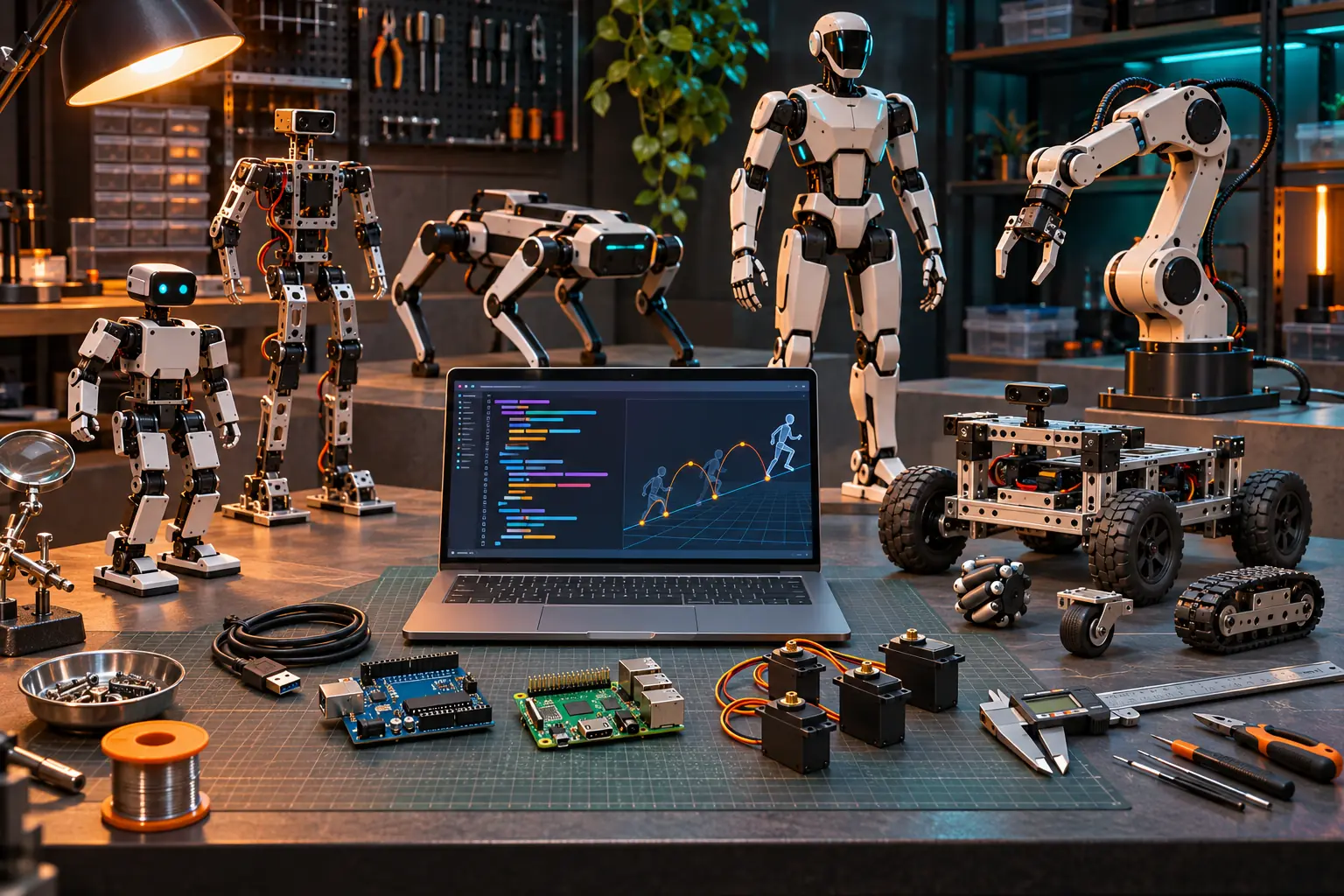
The best programmable robot kit for an adult is the one that keeps exposing useful control after the first demo. Choose Microduck for an assembled biped with Python, MuJoCo and reinforcement-learning tools. Choose Makeblock mBot Ultimate 2.0 for the broadest Arduino and Raspberry Pi hardware project. Choose Petoi Bittle X for the easiest programmable quadruped. Choose Hiwonder AiNex for a Raspberry Pi humanoid built around ROS. Choose LeRobot SO-101 for Python manipulation and imitation learning. Choose Open Duck Mini v2 when you want the CAD, BOM, firmware and training stack to be part of the project.
This is a documentation-based editorial comparison, not a controlled benchmark in which six robots ran the same task. We make Microduck, so the conflict of interest is disclosed directly. Recommendations are segmented by what each kit can actually teach, where it can be extended and what the buyer must supply. Prices and product configurations were checked on 8 November 2026; taxes, shipping, printing, tools, computers, failed parts and optional accessories are separate unless stated.
Looking only for a Python path? Use the separate best Python robot kits guide. Shopping by assembly burden and project type instead? Read the best robot kits for adults. This page has a narrower job: compare programmable robot kits for adults by SDK and API depth, sensor access, simulation, autonomy and expansion.
What makes a robot kit programmable for adults?
A genuinely programmable robot kit exposes four layers: a documented control interface, sensor and actuator access, room for new behaviours, and a reproducible development path. A mobile app with preset actions is not enough. The buyer should be able to issue commands, read state, add hardware, diagnose failures and move beyond the examples shipped with the product.
The first layer is the control API. Python is common, but Python on a toy robot may mean nothing more than an app helper. For an adult project, check whether the API exposes joints, motors, sensors, timing and error state. For Arduino and Raspberry Pi kits, check which board actually runs the code and whether expansion pins or ports remain available.
The second layer is hardware access. Makeblock Ultimate 2.0 earns its place because its construction parts and electronics can be rebuilt into many forms. Open Duck Mini v2 goes further, publishing the mechanical design and bill of materials. Microduck and AiNex take the opposite trade-off: they remove the initial build burden but expose less mechanical freedom.
The third layer is simulation and higher-level autonomy. Microduck and Open Duck Mini include simulation and reinforcement-learning paths. LeRobot SO-101 is designed around teleoperation, datasets and imitation learning. AiNex includes ROS and Gazebo support. A kit without those layers can still be programmable, but its ceiling is different.
The fourth layer is maintenance reality. Documentation can be technically open and still be hard to use if it is stale, scattered or tied to an obsolete operating-system release. Check the last repository activity, the exact hardware revision, licence terms and whether replacement servos or structural parts are available.
How did we evaluate these programmable robot kits?
We evaluated six kits against the same decision criteria: documented programming path, controller or operating system, sensor and actuator access, simulation or AI workflow, source availability, expansion, assembly burden, price transparency, support and the realism of the first successful project.
The final list includes different robot forms because “best programmable kit” is not a single task. A walking robot, a ROS humanoid, a printable arm and a reusable Arduino construction set teach different skills. We did not give extra credit merely because a product mentions “AI,” and we did not treat a bill of materials as a delivered-product price.
The comparison uses current maker documentation and public listings. Commercial prices move frequently, especially bundles, Raspberry Pi configurations and educational discounts. Recheck the linked official page and the exact variant before buying. Where a claim depends on a specific software release, the page names that limitation instead of implying every hardware revision behaves the same.
Best programmable robot kits for adults at a glance
This table is ordered by the clearest project fit, not by an overall score. A higher price does not automatically mean a deeper programming platform, and a cheaper parts list does not include every tool required to finish the robot.
| Robot kit | Main programming path | Published price signal | What arrives | Best for |
|---|---|---|---|---|
| Microduck | Python SDK, MuJoCo, reinforcement learning, ONNX policy deployment | $399 assembled | A 25 cm biped, controller, battery and seven trained behaviours | Assembled locomotion and sim-to-real work |
| Makeblock mBot Ultimate 2.0 | Block-based programming, Arduino path, Raspberry Pi expansion | $399.99 sale signal; $478 list price | More than 160 mechanical and electronic parts for 10 configurations | Learning mechanisms, electronics and reusable hardware |
| Petoi Bittle X | Scratch or block coding, C++, Python, ESP32/Arduino | From $319 | Construction kit or assembled configuration, depending on variant | A lower-stakes first programmable quadruped |
| Hiwonder AiNex | Python, Raspberry Pi, ROS1, Gazebo | $729.99 | Raspberry Pi humanoid kit with servos, camera and ROS resources | ROS, inverse kinematics and humanoid demos |
| LeRobot SO-101 | Python and the LeRobot stack | $121.94 follower arm; $229.88 leader and follower in the official US parts example | Printable arm design and a sourced parts list; assembled kits also exist | Teleoperation, demonstration data and imitation learning |
| Open Duck Mini v2 | Python, MuJoCo, community runtime and training code | Official full-BOM target below $400 | CAD, BOM, print guidance and software resources; buyer supplies the rest | A complete open biped build |
The price column compares very different things. Microduck and AiNex are sellable product configurations. Makeblock and Bittle depend on the chosen variant. SO-101 and Open Duck begin as parts and design projects. Add the computer, printer, hand tools, calibration time and spare components that each route requires.
1. Microduck - best for assembled locomotion and reinforcement learning
Microduck is a 25 cm biped robot sold assembled for $399 before taxes and shipping. It arrives with 15 motors, a camera, LiDAR, two IMUs, a controller, battery and seven trained behaviours. Its strongest programming advantage is not the presence of a Python name in the documentation; it is the published layer from simulation to policy deployment.
What can you program?
The Microduck software stack includes a Python SDK, browser and local simulation paths, MuJoCo-based reinforcement-learning environments and ONNX policy deployment. The robot runs a 50 Hz onboard policy loop, while the complete software stack is published under Apache-2.0. Owners can inspect the official policies, replace them and retrain behaviours instead of being limited to the shipped remote-control modes.
Start with the Microduck Python SDK guide if the first goal is commanding motors, reading sensor state and running a short script. Move to the sim-to-real workflow and training guide when the project requires a new locomotion policy.
How is it assembled and extended?
The core robot arrives calibrated, so the first experiment does not depend on printing or soldering the body. Expansion comes through software, Wi-Fi, the browser simulator, camera input, NFC tags and the optional Dev, Accessory and Charger packs. The hardware is not a reusable construction system like Makeblock, and the complete mechanical and electronic manufacturing files are not public.
Microduck therefore suits an adult who wants the robot as a known hardware baseline. It is a strong choice when debugging actuator data, reward design, domain randomisation and policy evaluation is the lesson rather than sourcing brackets and repairing a build.
What are the trade-offs?
The assembled form limits mechanical experimentation. Biped balance is less forgiving than a four-legged or wheeled robot. Training a useful new policy requires a supported Linux environment and, for practical local work, an NVIDIA GPU. The included policies make the first session easy, but they do not remove the hard parts of action contracts, evaluation and safe hardware testing.
Who should choose Microduck?
Choose Microduck when you want an assembled machine for Python, simulation, reinforcement learning and controlled hardware experiments. Do not choose it when the primary joy is designing the chassis, remapping a Raspberry Pi operating system or rebuilding a robot from loose parts.
2. Makeblock mBot Ultimate 2.0 - best for Arduino and Raspberry Pi hardware breadth
Makeblock mBot Ultimate 2.0 is the most conventional construction-focused kit in this group. Makeblock describes it as a 10-in-1 robot-building kit with more than 160 electronic and mechanical parts, with block-based coding and Arduino project support. Current Google Shopping pricing from Makeblock displayed $399.99 against a $478 list price on 8 November 2026; confirm the selected bundle on Makeblock's own page.
What can you program?
The main learning path starts with graphical or block-based code and moves toward Arduino-style projects. Raspberry Pi compatibility makes the kit interesting to adults who want a chassis and sensor set but intend to provide their own Linux compute. The exact language support depends on the controller and project, so the buyer should not assume that every Makeblock tutorial exposes a complete Python API.
That is not a disqualifier. It is a different educational contract: learn mechanics, wiring, sensors and iterative code against reusable hardware. The value is the number of physical experiments made possible by the same parts collection.
How is it assembled and extended?
This is a real building kit. The buyer assembles the selected form, connects electronics and troubleshoots mechanical alignment. More than 160 parts create a broad inventory for later projects, but they also create storage, versioning and documentation challenges. A successful first build depends on following the correct revision and not mixing instructions from another mBot model.
The expansion advantage is stronger than on a finished humanoid. Motors, sensors, wheels, arms and structural pieces can be repurposed. The controller path matters: an Arduino-oriented build, Raspberry Pi add-on and block-programming environment are related but not interchangeable.
What are the trade-offs?
The kit is broad rather than deep in any one robotics discipline. It is not a published legged-policy research stack, and a wheeled or arm configuration does not teach biped balance. Current product pages mix variants and promotional pricing, so compare the exact included parts.
Who should choose Makeblock?
Choose mBot Ultimate 2.0 when the adult learner wants a reusable workshop platform for Arduino, Raspberry Pi, mechanisms and sensor projects. Choose Microduck or Open Duck instead when locomotion policy training is the destination.
3. Petoi Bittle X - best first programmable quadruped
Petoi Bittle X starts at $319 for the construction configuration in the current US listing. Petoi also sells assembled and arm-equipped configurations at higher prices. The robot uses an ESP32/Arduino-based OpenCat platform and documents block-based coding, C++ and Python curricula.
What can you program?
Bittle X is the easiest route in this article to a visible four-legged result. Its OpenCat examples include walking, posture and voice-command experiments, and the optional arm adds object-handling behaviours. Adults can begin with blocks, move into C++ and then use Python depending on the host and curriculum.
The depth differs from Microduck. Python can control the robot, but Bittle is not positioned as an open simulation-to-policy training platform. Check the current OpenCat repository and the exact Python examples before treating it as an alternative to a reinforcement-learning workflow.
How is it assembled and extended?
The lower-price construction kit requires assembly. A pre-assembled option reduces that work. Four legs are more forgiving than two, and the body exposes space for sensors and an optional gripper or arm. This makes the robot a useful platform for iterative behaviours without requiring a pristine lab floor on the first day.
What are the trade-offs?
The educational ecosystem sometimes reads as classroom-first. Adults who already know Arduino may find the initial blocks less useful and want the C++ source sooner. The included product line spans multiple servo and assembly options, so “from $319” is not a quote for the top configuration.
Who should choose Bittle X?
Choose Bittle X when the goal is a robust, approachable quadruped for learning how code changes movement. Choose AiNex for a humanoid ROS stack, SO-101 for manipulation or Microduck for an assembled biped and policy-training path.
4. Hiwonder AiNex - best Raspberry Pi humanoid for ROS learning
Hiwonder AiNex is listed at $729.99 on the official US store. Hiwonder documents a 20 DOF starter kit and 24 DOF standard kit, Raspberry Pi control, Python programming, a 2-DOF camera, intelligent bus servos and inverse-kinematics behaviours such as walking, turning and grasping.
What can you program?
AiNex exposes a conventional ROS learning environment rather than a simple app API. Hiwonder publishes ROS source resources, Gazebo simulation material and tutorials for vision and humanoid actions. Python is used for the robot's AI examples, while ROS provides message passing, package management and a larger research ecosystem.
The important compatibility caveat is ROS version. Hiwonder's public product questions state that AiNex supports ROS1, not ROS2, at the time of review. Confirm the currently shipped software image because that limitation has a direct effect on the packages, tutorials and operating-system support available to the project.
How is it assembled and extended?
AiNex is a product kit with a metal humanoid frame, servo chains and Raspberry Pi compute. It is not a generic construction set, although sensor and manipulator expansion is possible. The camera and inverse-kinematics demos shorten the path to a recognisable humanoid project.
What are the trade-offs?
AiNex costs more than the other kits here, and the 20 DOF starter configuration leaves fewer degrees of freedom than the 24 DOF standard model. ROS1 and the vendor's software release are more consequential than the headline servo count. Humanoid balance and safe operation remain difficult even when the kit supplies working demos.
Who should choose AiNex?
Choose AiNex when the project needs a Raspberry Pi humanoid, ROS nodes, Gazebo and a vendor-supported hardware path. Choose Microduck for a smaller assembled biped with a published RL stack, or Open Duck Mini for a much more open mechanical build.
5. LeRobot SO-101 - best programmable arm for imitation learning
LeRobot SO-101 is the clearest manipulation-first option. The official SO-ARM100 parts example lists $121.94 for one follower arm and $229.88 for a leader-plus-follower pair before 3D printing, tools, delivery and tax. The follower uses six STS3215 motors, while the leader arm uses differently geared motors so a person can move it during teleoperation.
What can you program?
SO-101 is part of the LeRobot Python ecosystem. The project supports motor configuration, calibration, leader-follower teleoperation, dataset capture and policy-learning workflows. The leader arm is not an optional accessory in a demonstration workflow; it is how a human produces physical examples for the follower.
This is a stronger programming path for manipulation than a line-following car. It also has a narrow physical task. An arm cannot teach walking, floor contact or whole-body balance.
How is it assembled and extended?
The standard route is to print the structure, source the motors and controller parts, assemble the arm and calibrate every joint. Assembled versions reduce the build work but change the cost and vendor. A host computer is still required, and each arm must be calibrated so positions and learned models line up.
Expansion comes through different grippers, cameras and datasets rather than a large chassis kit. The LeRobot software supports broader robot integrations, but the SO-101 hardware itself is a six-axis arm.
What are the trade-offs?
The $121.94 figure is a parts example, not a finished-robot quote. Printing, assembly, calibration and a computer sit outside it. A single follower can run a trained behaviour, but collecting demonstrations is easier with a leader arm. The physical scope is intentionally limited.
Who should choose SO-101?
Choose SO-101 when the project is grasping, teleoperation, demonstration data or manipulator learning. Use the legs-versus-arms comparison if the choice is between manipulation and locomotion.
6. Open Duck Mini v2 - best full-stack open biped build
Open Duck Mini v2 is a community biped project with an official BOM target below $400. It publishes the CAD, bill of materials, printable structure, assembly resources, MuJoCo simulation work and Python training code. The buyer supplies printing, fasteners, motors, wiring, tools and the time required to turn files into a working robot.
What can you program?
The project exposes the mechanism and the software together. A builder can inspect the geometry, assemble the links, prepare the robot in simulation and run published walking policies. Python dominates the repository, and the companion Open Duck Playground extends the simulation and training environment.
This is the strongest option when the question is “can I understand and modify the entire stack?” It is a weaker option when the question is “which robot can I program tonight with minimum setup?”
How is it assembled and extended?
Everything is part of the project: print tolerances, bearing fit, servo selection, cable routing, joint calibration, firmware and policy deployment. A spare-part box is not optional. The open design makes custom parts and future hardware experiments possible because the builder already owns the integration work.
What are the trade-offs?
Assembly can take weeks, and documentation quality changes by subsystem. The BOM target excludes labour, failed prints, tools, shipping, tax and replacement components. Community support is not a commercial warranty desk.
Who should choose Open Duck Mini v2?
Choose Open Duck when building and understanding the robot is the hobby. Read the Open Duck Mini v2 build-cost guide before ordering parts. Choose Microduck when the robot should arrive assembled and policy work should begin immediately.
Which kit is best for Python, Arduino, Raspberry Pi or ROS?
The best programming language depends on the controller that actually runs the project. “Supports Python” can mean a complete SDK, a few examples or only a desktop helper. “Supports Arduino” can mean native firmware or compatibility through a specific expansion board.
| Stack | Best-fit options | Why |
|---|---|---|
| Python SDK and AI policy work | Microduck, LeRobot SO-101, Open Duck Mini v2 | Each exposes deeper Python workflows for robot control, simulation or learning rather than only scripting a demo |
| Block-based and Arduino learning | Makeblock mBot Ultimate 2.0, Petoi Bittle X | Both provide reusable hardware and a progression from visual programming toward text-based code |
| Raspberry Pi hardware experiments | Makeblock Ultimate, Hiwonder AiNex | Makeblock offers flexible construction; AiNex provides an integrated Pi humanoid |
| ROS and Gazebo | Hiwonder AiNex | It is the only kit here explicitly built around a vendor ROS and simulation path, with a ROS1 compatibility caveat |
For a Python-first comparison that includes Reachy Mini and Hiwonder TonyPi, keep using the existing best Python robot kits page. This page deliberately goes broader on programming interfaces and controller choice.
Which programmable robot kit is best for AI and reinforcement learning?
Choose Microduck for an assembled biped with simulation, retraining and policy deployment already connected. Choose Open Duck Mini v2 when the same loop should include building the hardware. Choose LeRobot SO-101 when the AI task is manipulation and imitation learning rather than locomotion.
Makeblock Ultimate and Bittle X can teach sensing and autonomous behaviours, but neither is presented here as a complete legged reinforcement-learning research stack. AiNex offers ROS and Gazebo, which are valuable for perception and control projects, but its current vendor documentation is not equivalent to a published sim-to-real locomotion training pipeline.
The distinction matters because “AI robot” often means a cloud model behind a fixed app. A programmable AI kit should expose observations, actions, timing and evaluation. Read the best robots for reinforcement learning comparison if the project requires training and deployment rather than only app-level AI features.
What will you actually build after the first demo?
The second project predicts whether the kit will remain useful.
- Microduck: read sensor telemetry, write a Python controller, test an existing policy, train a new walking reward and evaluate it on hardware.
- Makeblock Ultimate: build a sensor-driven rover, add a manipulator, connect Raspberry Pi vision or recreate a mechanism from a different instruction set.
- Bittle X: create a posture sequence, combine voice and distance sensors, add the arm and compare programmed behaviours with learned ones.
- AiNex: run ROS nodes, inspect camera data, adapt a gait, test inverse kinematics and connect the simulated model to the physical robot.
- SO-101: calibrate leader and follower arms, record demonstrations, train a manipulation policy and repeat the experiment with a new object or camera.
- Open Duck Mini v2: print and revise structural parts, reproduce the build, run simulation training and investigate hardware-specific walking failures.
Reject a “programmable” kit if you cannot describe a credible second project. The first demo is often a product-team success; the second project is the buyer's actual learning path.
How much do programmable robot kits for adults cost?
Budget in four layers: hardware, setup, completion and time. Hardware includes the configured robot or parts. Setup includes a computer, printer, tools, filament and adapters. Completion includes shipping, tax, spares, calibration equipment and replacement parts. Time is the labour required to assemble, configure, learn and debug.
The range in this comparison starts at $121.94 in parts for a SO-101 follower arm and reaches $729.99 for Hiwonder AiNex. Microduck and Makeblock Ultimate both land near $399, but they buy different things: Microduck arrives assembled for policy work, while Makeblock arrives as a broad 160-plus-part construction kit. Petoi Bittle X starts at $319. Open Duck Mini's BOM target is below $400, before printing and completion costs.
Do not compare those headlines as if they were identical delivered systems. A Raspberry Pi configuration, leader arm, printing service, replacement servo or failed print can move the practical total substantially.
What should you check before buying a programmable robot kit?
Check the exact controller, source revision and software version. A product may have an Arduino-compatible controller yet require a vendor IDE. A Python example may assume a specific host computer. A ROS kit may support only one ROS distribution.
Then verify the following:
- Control contract: Which joints, sensors and timing loops can your code access?
- Source location: Is there a maintained public repository, a downloadable archive or only a vendor tutorial?
- Licence: Can you modify and redistribute the software and mechanical files under the stated terms?
- Expansion: Are GPIO, USB, bus-servo, camera and mounting interfaces available after assembly?
- Simulation: Does the simulator use the real robot's dimensions, masses and joint limits?
- Community and support: Where are bugs reported, and what response should a buyer expect?
- Replacement parts: Can you source motors, bearings, screws and structural pieces?
- Safety: Does the project require an emergency stop, current limits or a clear test area?
- Complete budget: Have you included tax, shipping, printing, tools, computer and spares?
- First and second project: Can you describe what you will build after completing the provided demo?
Browse the Microduck alternatives guide for a broader task-based view and the DIY biped robot kit guide for a narrower build-versus-buy comparison.
Best programmable robot kits for adults FAQ
What is the best programmable robot kit for adults? Choose by the software and hardware layer you want to own. Microduck is best for assembled Python and reinforcement-learning locomotion; Makeblock Ultimate for reusable Arduino/Raspberry Pi construction; Bittle X for an easier quadruped; AiNex for ROS; SO-101 for manipulation; and Open Duck for a complete open biped build.
What is the easiest programmable robot kit for an adult beginner? Petoi Bittle X is the gentlest robotics-first route because four legs are stable and the path starts with blocks before C++ or Python. Makeblock Ultimate offers a broader but more assembly-heavy introduction.
Which programmable robot kit is best for Python? Microduck and LeRobot SO-101 offer the most task-specific Python depth. Microduck connects simulation, reinforcement learning and locomotion, while SO-101 connects teleoperation, datasets and manipulation learning.
Which kits support Arduino and Raspberry Pi? Makeblock mBot Ultimate 2.0 is the broadest construction option with Arduino project support and Raspberry Pi compatibility. Petoi Bittle X uses an ESP32/Arduino ecosystem. Hiwonder AiNex uses Raspberry Pi compute.
Which programmable robot kit is best for ROS? Hiwonder AiNex is the clearest ROS-oriented kit in this group, with Python, Gazebo and humanoid examples. Confirm that the currently supplied software supports the ROS version your course or project requires; Hiwonder has publicly stated ROS1-only support.
Which kit is best for AI and reinforcement learning? Microduck is the assembled locomotion choice with a published RL and policy-deployment stack. Open Duck Mini v2 is the fully open biped build. LeRobot SO-101 is the correct choice for imitation learning and manipulation.
How much should I budget for a programmable robot kit? Start with the official product or BOM price, then add tax, shipping, a computer, printer or print service, tools, spares and time. The cheapest parts list can be the most expensive completed project if it requires major printing, assembly and debugging.
Key takeaways
- A programmable robot exposes control, sensors, state and extension beyond the stock demo.
- Microduck is the assembled choice for Python, locomotion and reinforcement-learning work.
- Makeblock Ultimate 2.0 is the strongest reusable Arduino and Raspberry Pi construction kit.
- Bittle X is the easiest programmable quadruped; AiNex is the focused ROS humanoid.
- SO-101 owns manipulation and imitation learning; Open Duck owns the full open biped build.
- Compare controller, licence, software revision, expansion, complete cost and support before buying.
- The second project matters more than the first demo.
Where to go next
- Best robot kits for adults - compare build effort and project type
- Best Python robot kits - narrower Python and software-path comparison
- Best robots for reinforcement learning - compare sim-to-real platforms
- Microduck Python SDK - start coding the assembled biped
- Microduck vs SO-101 - compare locomotion and manipulation
- Open Duck Mini build cost - budget the complete open build
- Microduck alternatives - choose by task, budget and openness
- Pre-order Microduck - $399 before taxes and shipping